Groups
Groups represent logical collections of amplifiers and become valuable when Expert Controller Plus is used to manage multiple Expert amplifiers. Their use is optional.
It is possible to Start, Stop, Wake and Sleep all Connections referenced by a Group. As an example it may be that two amplifiers are located at a home QTH and another two at a summer cabin in the woods. Using Groups it is possible to 'Start' both amplifiers identified in a 'Home QTH' Group with one 'click' of the 'Start' button.
A Connection may exist in one or more Groups and there is no constraint on the number of Groups that may be defined.
Groups are presented in a split view window. The left-pane - titled Groups - lists existing Groups and permits selection of a Group for update or removal. When a Group is selected its content is presented in the right-side pane. The image below shows this window.
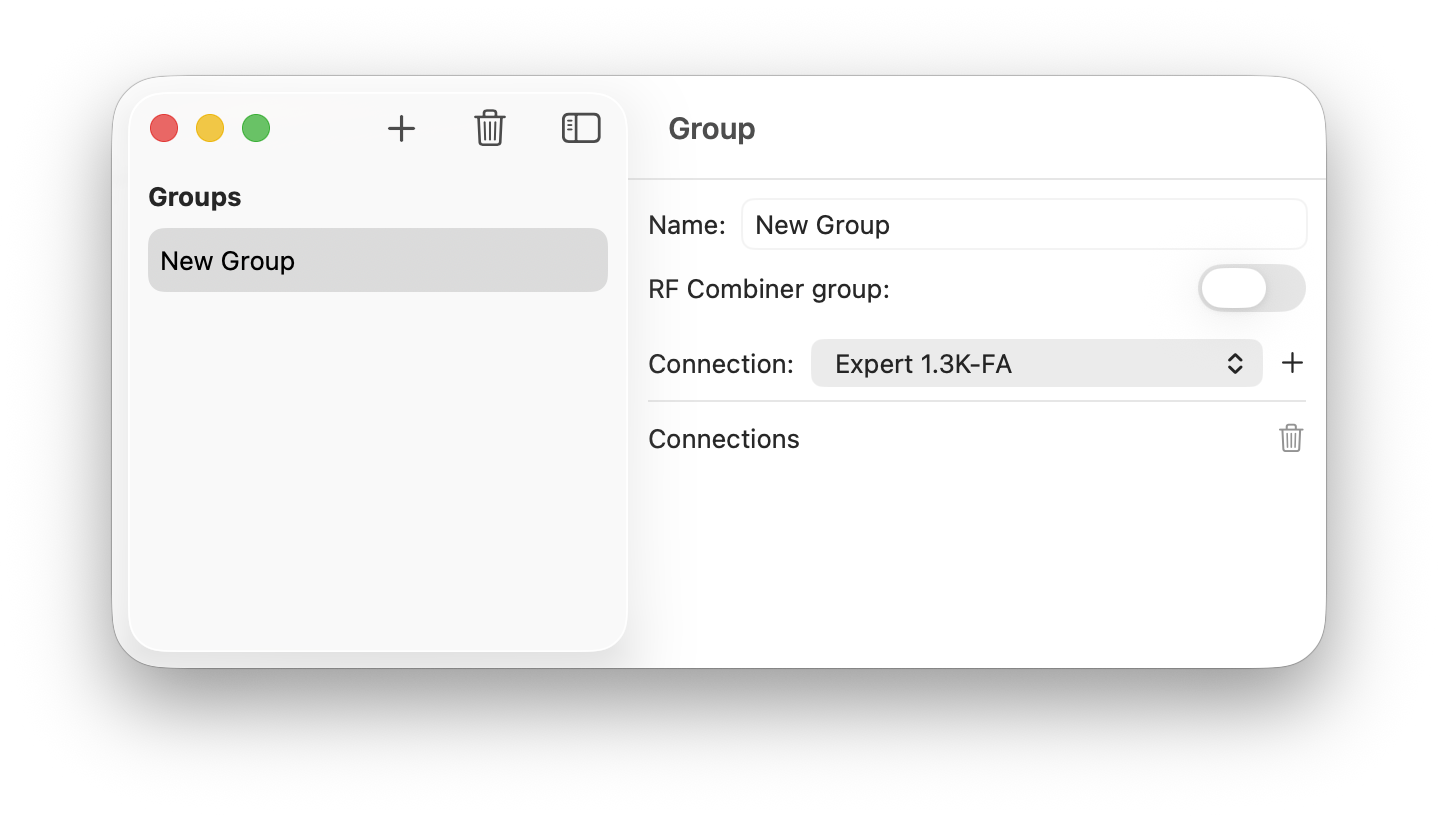
Group maintenance
Creation
When the '+' / Plus icon is selected, a new Group named 'New Group' is created and added to the Groups list. If that Group is then selected the right-side window pane is completed allowing existing Connections to be added.
Deletion
When a Group listed in the Groups list is selected followed by the bin icon, the selected Group is deleted. Any Connections it referenced are retained as this operation deletes the Group definition only.
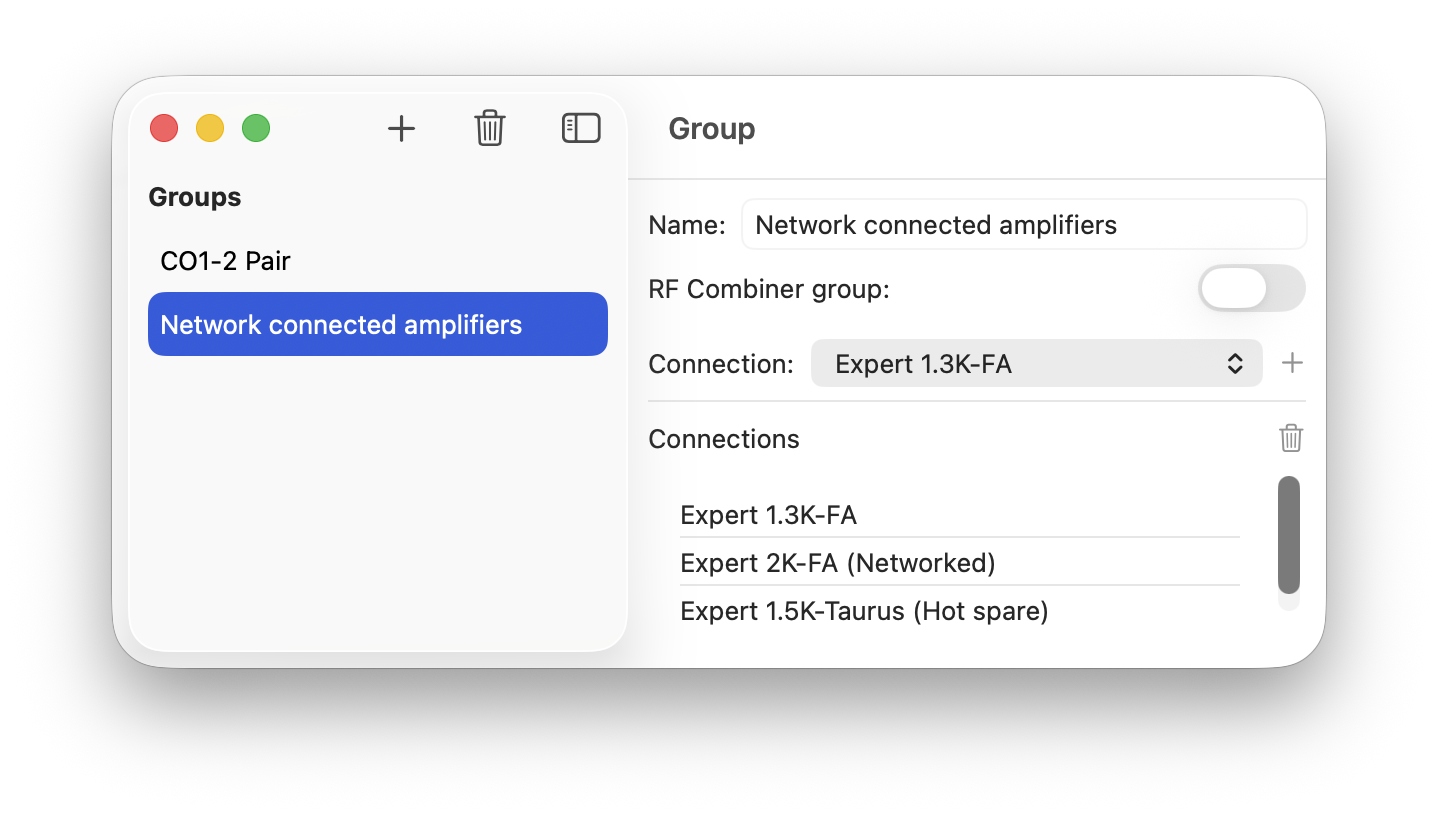
Adding Connections
To add a Connection to a Group select it from the list of Connections and then select the '+' / plus icon located to the right-side of the list. A Connection may exist in multiple Groups simultaneously. All Connections are listed whether they be Enabled or Disabled.
Deleting Connections
Select the Connection followed by the bin icon in the right-side window pane. This action deletes the reference to the Connection from the Group only, it does not delete the Connection.
Combiner Groups
Sometimes it's useful to manage multiple amplifiers as if they were a single amplifier. This is particularly useful when multiple amplifiers are used with an RF power combiner such as the SPE CO1-2. This capability may be enabled by enabling the RF Combiner group toggle.
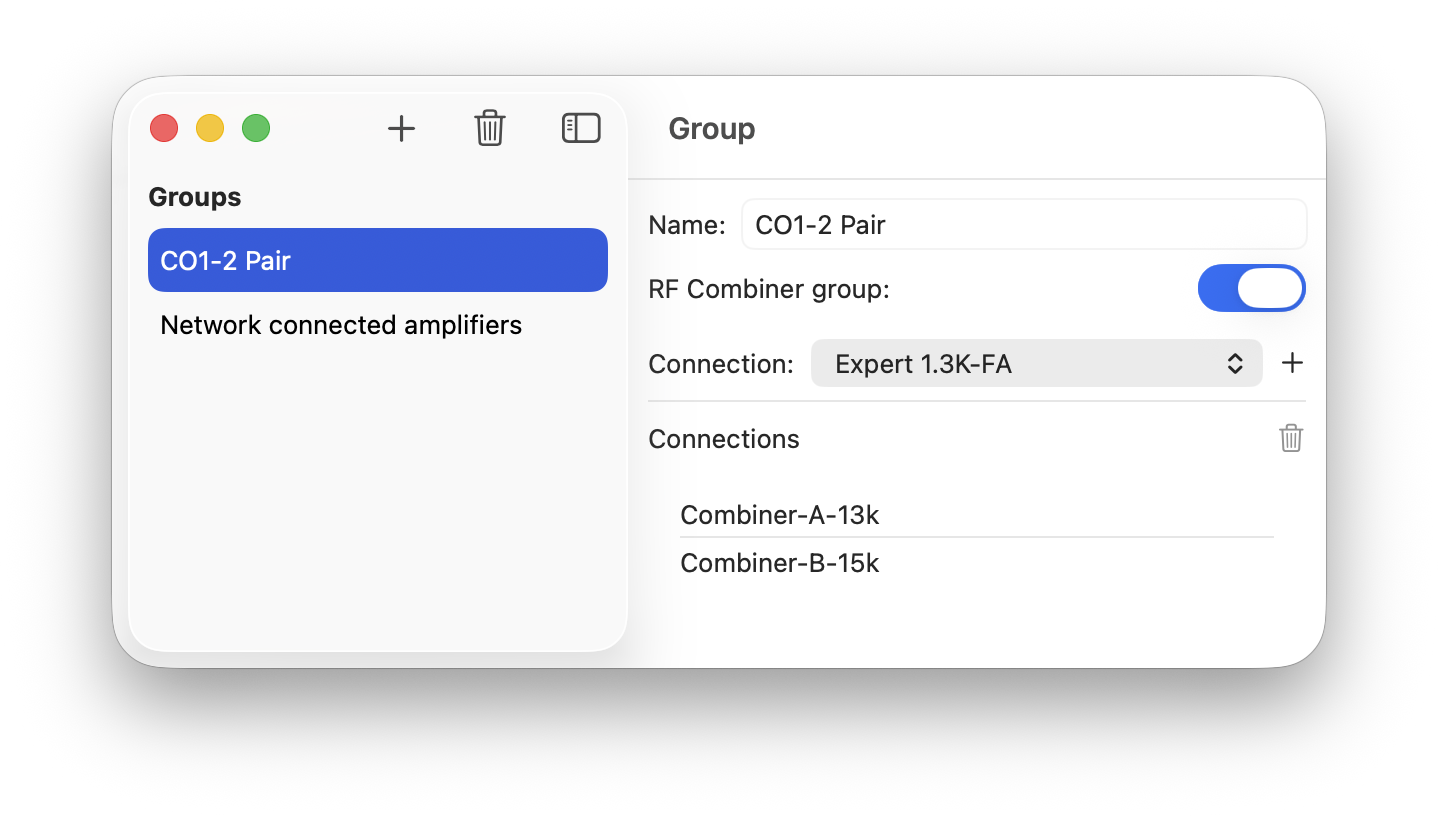
When a combiner enabled group is Started, and in addition to the windows selected for each Connection, a 'RF Combiner' window is presented that provides the capability to perform the following operations simultaneously on all amplifiers in the group: Tune, Operate, RF Power and Display.
The image below presents this window and the LCD display for the two amplifiers in the group.
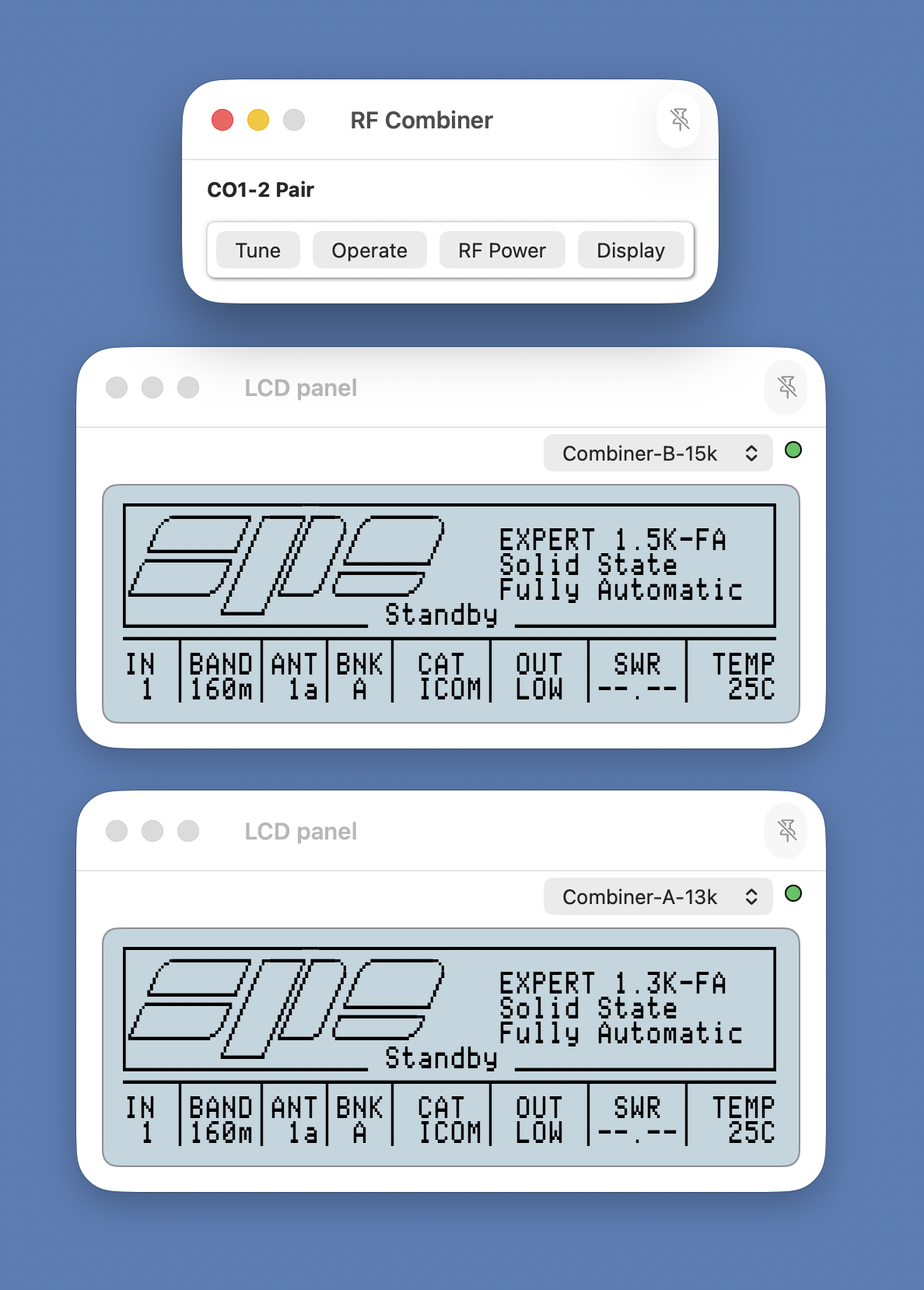
When the group is Stopped the 'RF Combiner' window is closed automatically.
The amplifier view windows opened when the group is started are those chosen in the Connection settings for each amplifier. All Connection-orientated operations remain available hence additional windows may be opened as required.
If communications with one or more of the amplifiers in a combiner group cease to communicate with Expert Controller Plus, the management buttons in the 'RF Combiner' window become disabled.