Connection State
Expert Controller Plus uses a small coloured ball followed by a label thoughout the software to identify the state of a Connection. An example is presented below:
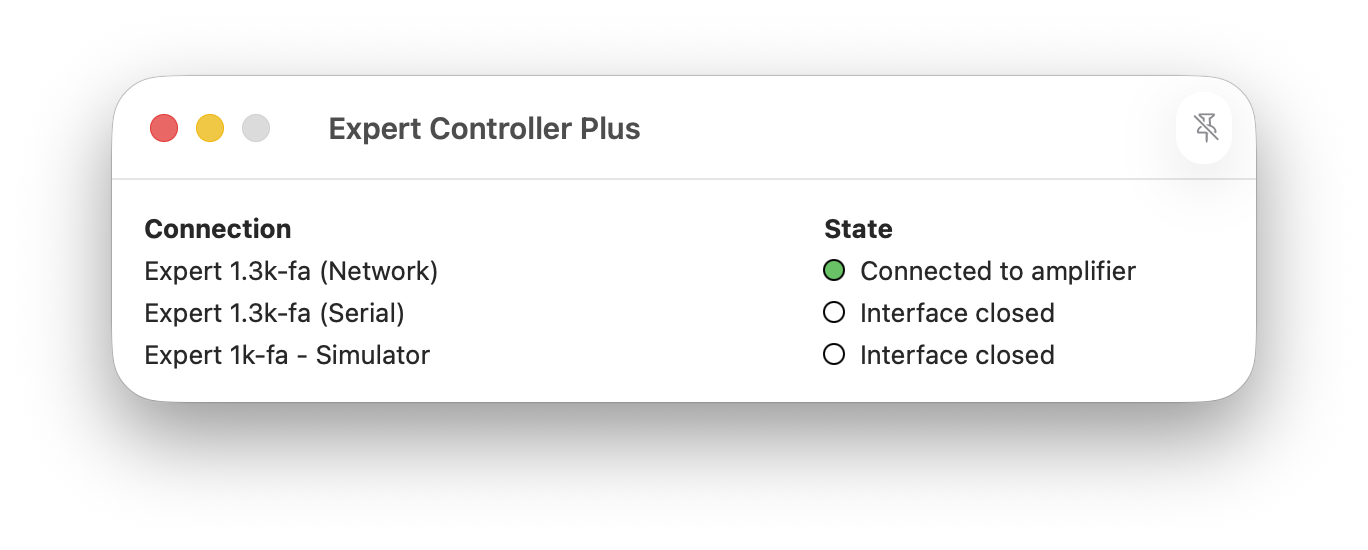
The different permutations are defined in the table below:
| Colour | Label | Description |
|---|---|---|
| Clear | Interface Closed | The interface is closed and there is no connection to an amplifier |
| Gray | Interface Open | A serial or TCP interface has been opened but Expert Controller Plus has not yet attempted to establish communications with an amplifier. This is a transitory state and may, at most, be visible only for a short time whilst communications are established. |
| Amber | Disconnected | A serial or TCP interface has been opened and Expert Controller Plus is attempting to communicate with an amplifier however, Expert Controller Plus is not in communication with an amplifier, possibly due to a cable fault or the amplifier being asleep or off. |
| Green | Connected to amplifier | Expert Controller Plus has opened the interface and is successfully communicating with an amplifier. This is the nominal state when a connection is active and successfully working. |