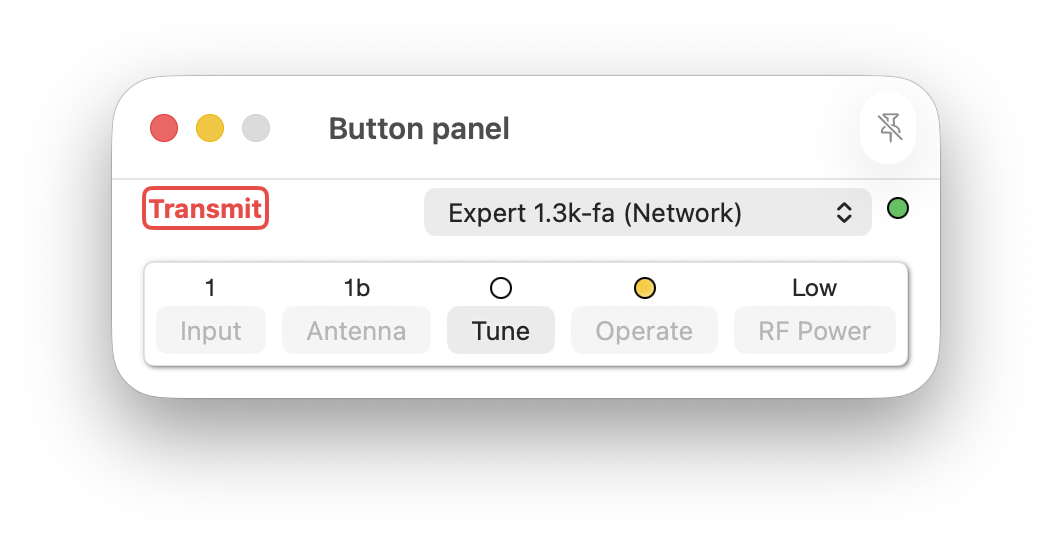
Buttons panel window
This window contains only the buttons needed to operate an Expert amplifier. Its small size occupies less space on a desktop than the LCD and Buttons window and thus improves user experience through choice/flexibility. This window may not be resized.
Where desktop space is at a premium but the LCD view is still desired, this window can be used together with an LCD panel window. The LCD panel window may be resized and placed where required on the macOS desktop.
The window may be pinned to the macOS desktop as a 'floating' window using the pin icon in the right-side of the title-bar when using macOS 15 or later.
A Connection may be selected from the drop-down list and a coloured ball identifies the connection state of that Connection.
The window shows the current transmit / receive state of an amplifier in either green or red text and the current setting/state above each button.
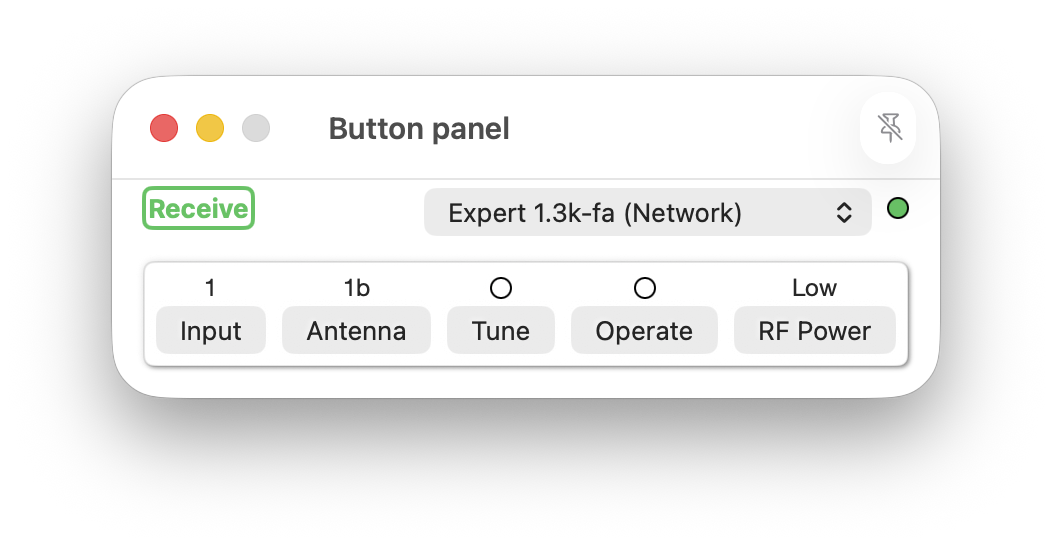
Actions not permitted due to the operational amplifier mode are disabled. In the image below the antenna may not be selected as the amplifier is in an Operate mode.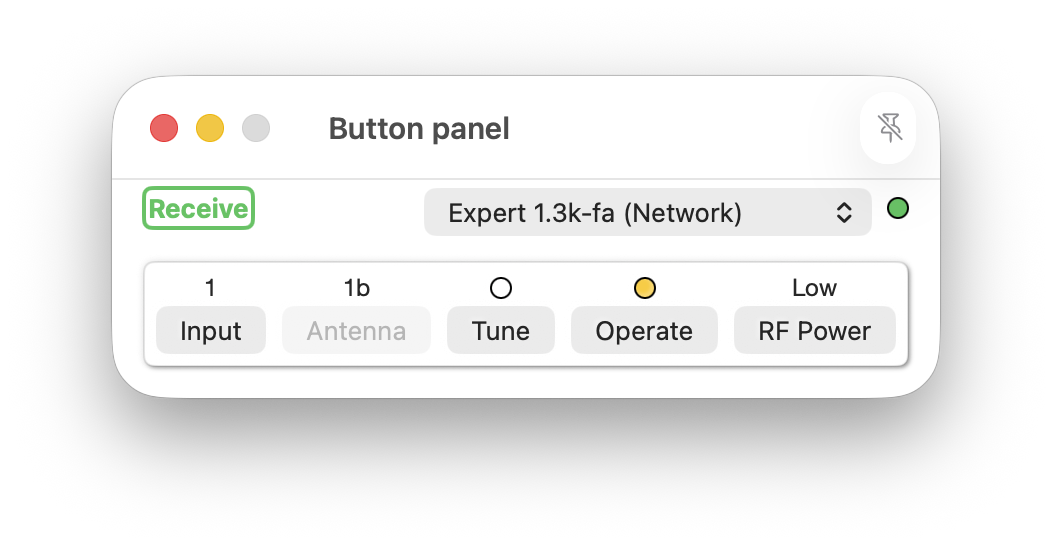
When in transmit mode the word 'Transmit', coloured red, is displayed.