Amplifiers
Amplifiers is a list of SPE Expert Amplifiers known to Expert Controller Plus. It is from this list that an amplifier is selected when adding a Connection.
Expert Controller Plus comes pre-configured with a knowledge-base of SPE Expert amplifiers and as their range evolves so too will this Expert Controller knowledge-base.
However, as the majority of SPE Expert amplifier's support a common interface protocol, Expert Controller Plus permits the addition, even deletion, of models from its knowledge-base by users. This permits, for example, the addition of a new model that shares the interface protocol used by already know models should one be released by SPE.
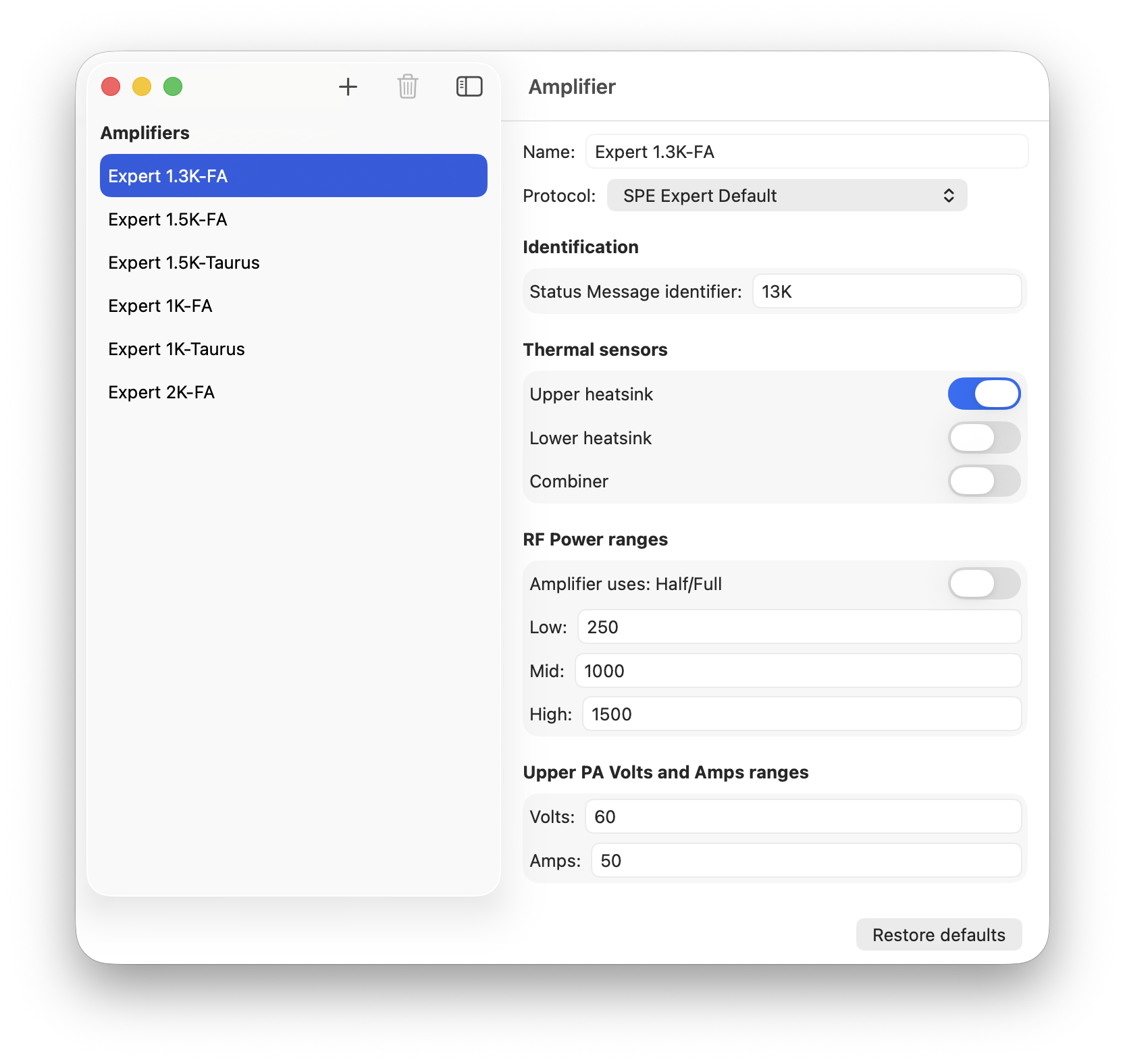
The image below presents the list of pre-configured SPE amplifiers and the properties that may be modified.
Properties
Name
Each model of SPE Expert amplifier must be named. By default each is named using its model identification. For example: SPE Expert 1.3K-FA. The name may be changed if required.
Protocol
SPE Expert amplifiers use one of several interface protocols. These are known to Expert Controller Plus as:
- SPE Expert Default
- SPE Expert 1K-FA (Rev 2.0)
- SPE Expert 1K-FA (Rev 2.0) Variant 1.
The protocol used by the Amplifier definition must be set to one of these interface protocols. Depending upon choice the properties available for configuration, change.
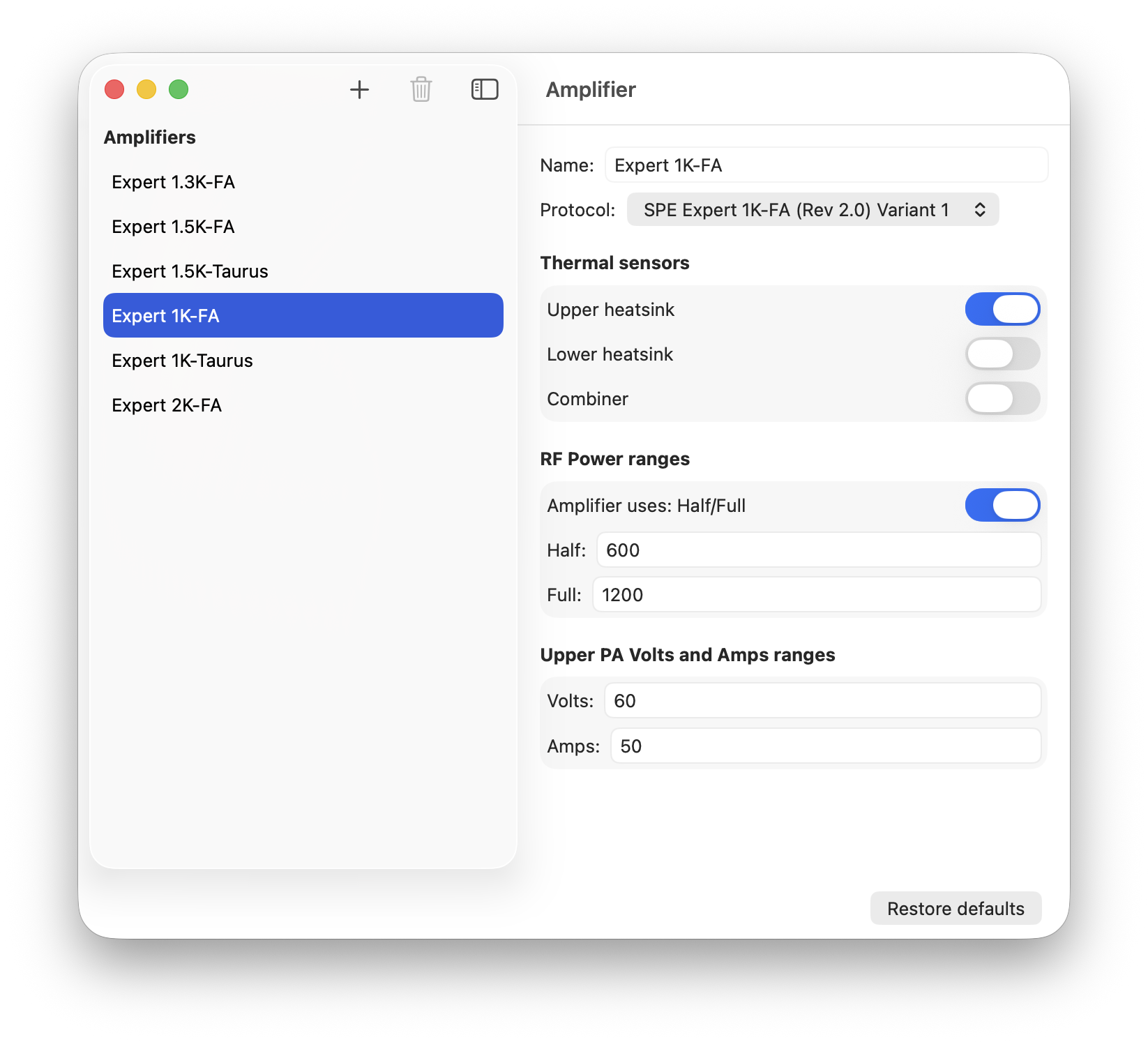
The properties that may be configured for an amplifier using the 'SPE Expert 1K-FA' protocol are presented in the image below.
SPE Expert Default
This is the interface protocol used by all Expert amplifiers with the exception of the Expert 1K-FA (All Series).
SPE Expert 1K-FA (Rev 2.0)
This is the latest interface specification made public by SPE for the Expert 1K-FA Series II and Series III amplifiers. Which amplifier firmware implements this version is unknown.
SPE Expert 1K-FA (Rev 2.0) Variant 1
This variant of the SPE Rev 2.0 interface protocol, implements changes observed in a Series III using firmware 21-12-09H and in the latest available SPE, Windows software. It is not known in which other amplifier firmware this variant is implemented.
As the most recent versions of the SPE Windows software appear to use this variant it is assumed that SPE implemented change to Rev 2.0 in 2021 or earlier and have not made publicly available revised documentation.
This is the default protocol for the Expert 1K-FA in Expert Controller Plus.
Identification
SPE Expert Default protocol only
Amplifiers using the 'SPE Expert Default' protocol pass a short identifier in messages that identifies their model. This identifier is key and it is used by Expert Controller Plus to present information provided by an amplifier correctly. It is recommended that this property is not changed without careful consideration of the impact.
If SPE launch a new amplifier with a new identifier, that identifier must be placed into this field.
Thermal sensors
These properties permit selection of the temperature gauges presented in the Gauges panel.
Upper heatsink
This property should be enabled as all SPE amplifiers currently contain at least one PA heatsink, known as the 'Upper' heatsink.
Lower heatsink
This property should be enabled if your amplifier contains a second PA heatsink. For example the Expert 2K-FA.
Combiner
This property should be enabled if your amplifier contains an RF power combiner. For example the Expert 2K-FA.
RF Power ranges
These properties represent the upper limits to the Low, Mid, Max or Half/Full RF power bands and are used by the Expert Controller Plus, Gauges window.
Amplifier uses: Half/Full
Most Expert amplifiers implement three power bands: Low, Mid and Max. The Expert 1K-FA and 1K-Taurus are the exception. These implement two power bands: Half and Full.
Enable this option if your amplifier implements Half and Full.
Upper PA Volts and Amps ranges
SPE Expert Default protocol
These two values represent the upper scale ranges used on the Gauges window
SPE Expert 1K-FA protocols
These two values represent the upper scale ranges used in virtual LCD windows and in the Gauges window.
Restore defaults
The 'Restore defaults' button may be used to restore to the knowledge-base the original list of amplifier models known to Expert Controller Plus. This action does not update existing definitions, it appends new definitions as Expert Controller Plus cannot determine whether a user wishes restore all or just some.
The image below presents an example after restoration. The example illustrates that a user has adjusted properties for their Expert 2K-FA and renamed it Expert 2K-FA (user modified) and that they have added a new Expert 1k-Taurus model before choosing to restore. The restoration action renamed existing Amplifier definitions, adding a date/time suffix to each before creating original Amplifier definitions.
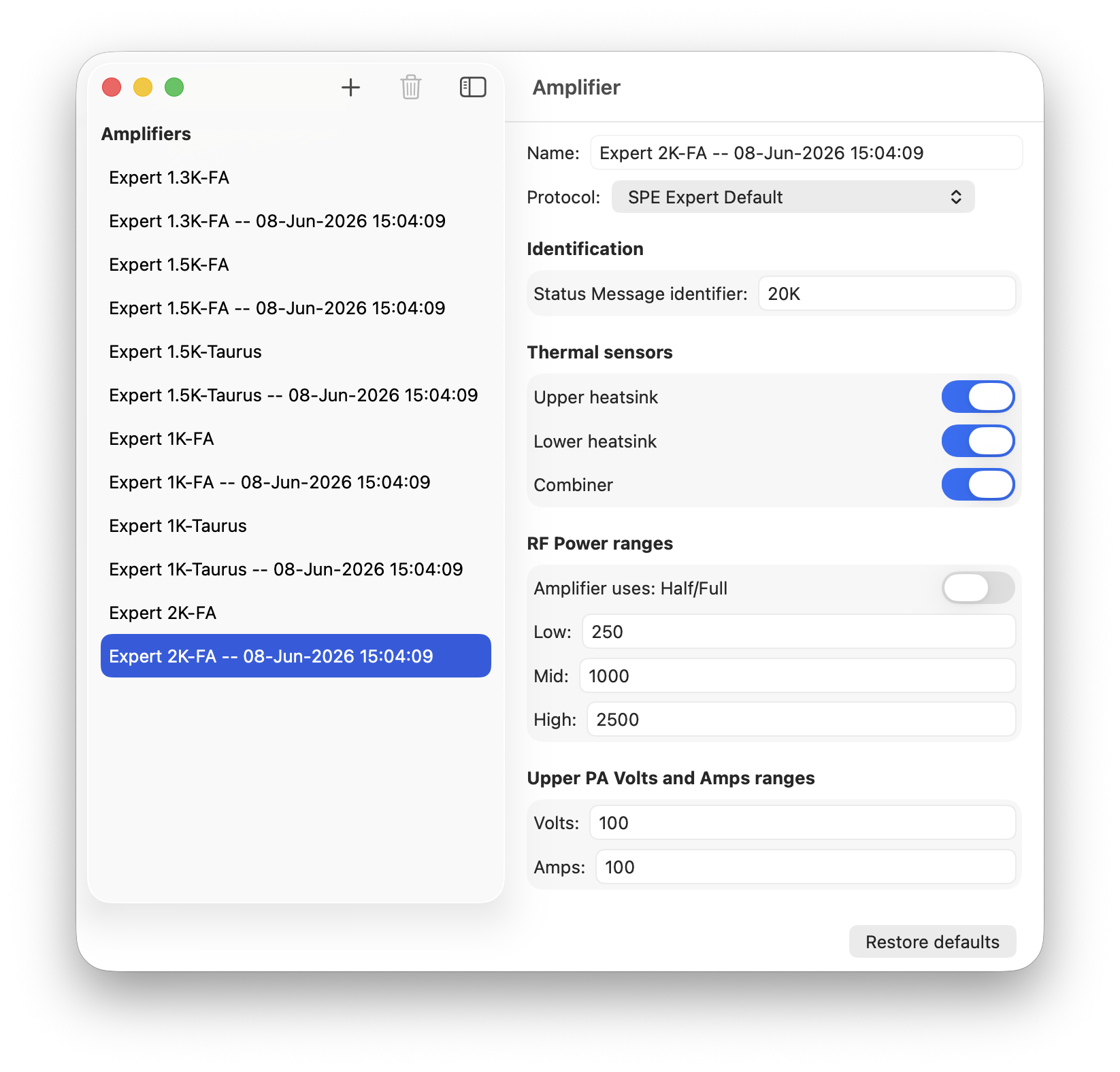
After restoration each Connection should be reviewed to ensure it is using the desired Amplifier name. Once Connections have been reviewed and if necessary adjusted, unwanted and unused Amplifiers may be deleted from the knowledge-base using the bin icon.