Gauges panel window
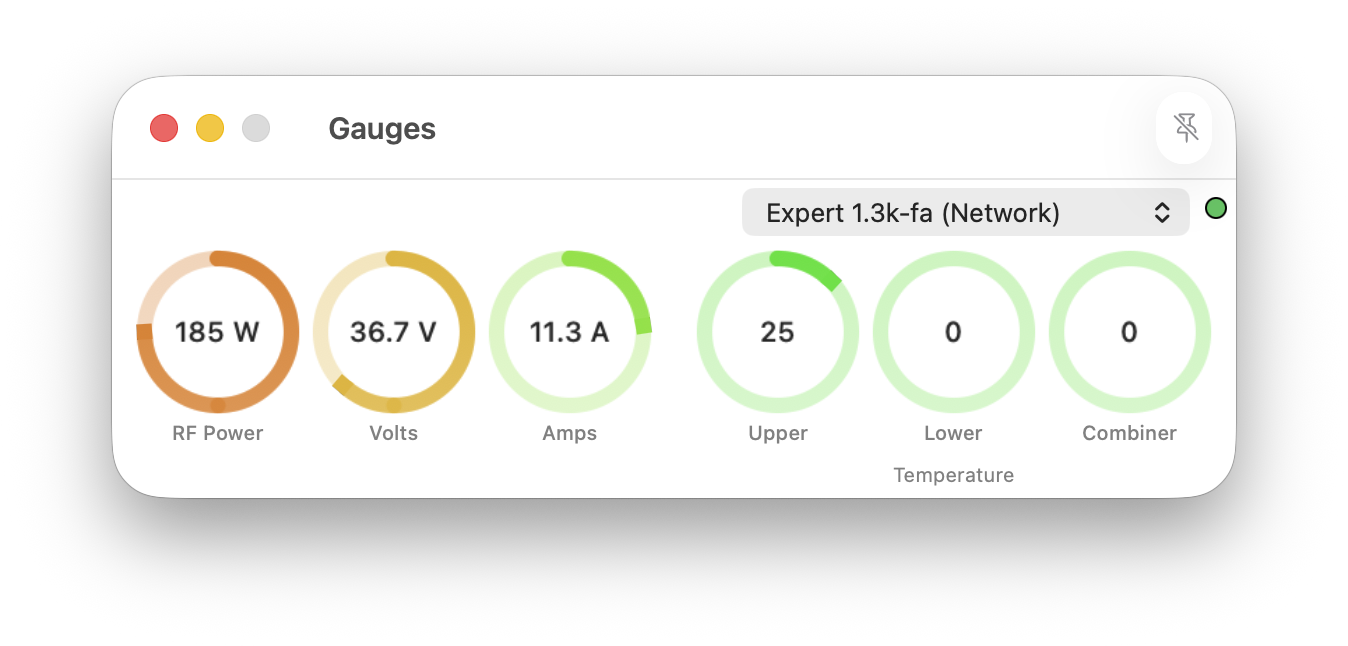
This window presents a graphical view of sensor data reported by an Expert amplifier. It may not be resized.
The window may be pinned to the macOS desktop as a 'floating' window using the pin icon in the right-side of the title-bar when using macOS 15 or later.
A Connection may be selected from the drop-down list and a coloured ball identifies the connection state of that Connection.
Each item of sensor data is presented using a circular, coloured gauge.
RF Power
The RF Power gauge is scaled appropriate to the RF power band selected (Low, Mid or Max). The upper scale values are defined in the Settings | Amplifiers window.
It is coloured as follows:
- 0% to 33% - Green
- 34% to 66% - Yellow
- Above 66% - Red.
Volts and Amps
These gauges are scaled as defined in the Settings | Amplifiers window for this model of amplifier.
They are coloured as follows:
- 0% to 33% - Green
- 34% to 66% - Yellow
- above 66% - Red.
Temperatures
Expert amplifiers report the temperature of the Upper, Lower and Combiner stages. However, some amplifiers such as the Expert 1.3K-FA do not contain a lower stage and thus also a combiner stage. These gauges displayed may be selected using the Settings | Amplifiers window.
For those amplifiers that do not contain a Lower PA heatsink or Combiner the value presented, when the gauge is enabled, will be zero.
The unit of measurement is not reported by Expert amplifiers and, therefore, Expert Controller Plus does not identify the unit of measurement.
The gauges are coloured as follows:
- less than 40 degrees - Green
- between 40 and 70 degrees - Yellow
- above 70 degrees - Red.