Interfacing
The Mac on which Expert Controller Plus is running must be interfaced to one or more Expert amplifiers. Expert Controller Plus supports serial (USB and RS-232) and network (TCP/IP v4 and v6) interfacing options. It is agnostic to whether the amplifier is geographically remote or local.
As a crude rule-of-thumb, the greater the distance between the Mac and the amplifier the greater the communications jitter and latency. It is also important to recognise that wireless networks are usually much slower with higher jitter and latency than wired networks. When Expert Controller Plus is communicating with an amplifier it exchanges messages with amplifiers several times per second and it thus requires a reasonably fast connection with low jitter and latency.
The fastest interfacing option with least jitter and latency is a direct USB connection between the Mac and amplifier; it is also the simplest interfacing option to implement.
The interfacing option with the highest jitter and latency is likely one that includes one or more wireless networks, including satellite networks, and the Internet.
Expert Controller Plus has been tested and found to work very well on both wired and wireless local networks. It is expected to work equally well with remote sites where the network connection is of a good quality - low jitter and latency.
As SPE Expert amplifiers only support USB and RS-232 wired connections it is necessary to use a third-party network/serial adapter to achieve network interfacing. Further information regarding the network/serial adapters supported by Expert Controller Plus, their configuration and physical cabling can be found in the Support section of the g0rvm.uk website.
The following diagrams illustrate a subset of possible interface options.
Local
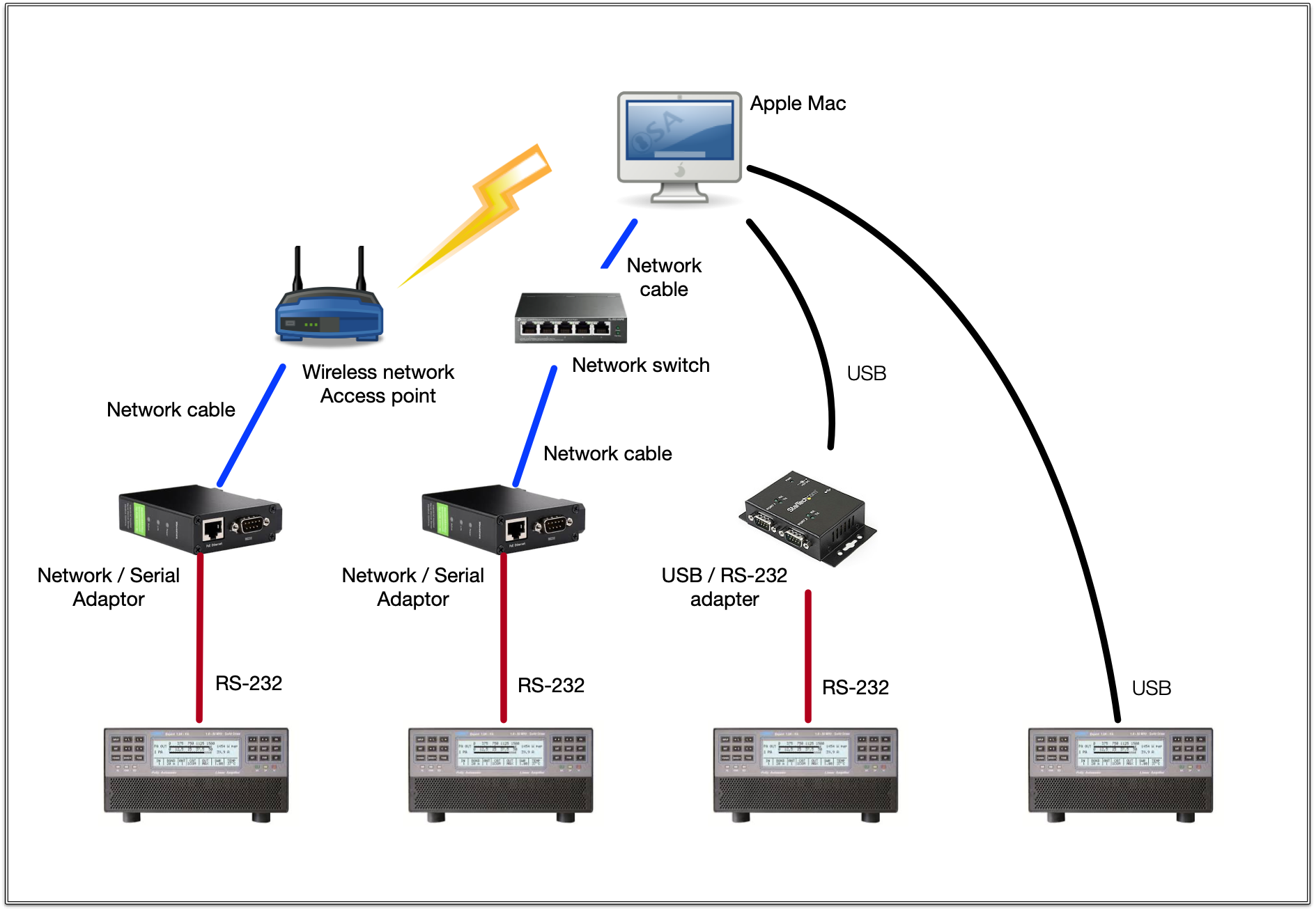
The diagram above illustrates four of the possible methods by which amplifiers may be interfaced to a Mac or MacBook computer. The diagram has a local / single site perspective but many other deployment variations are possible including the remote option identified below.
Remote
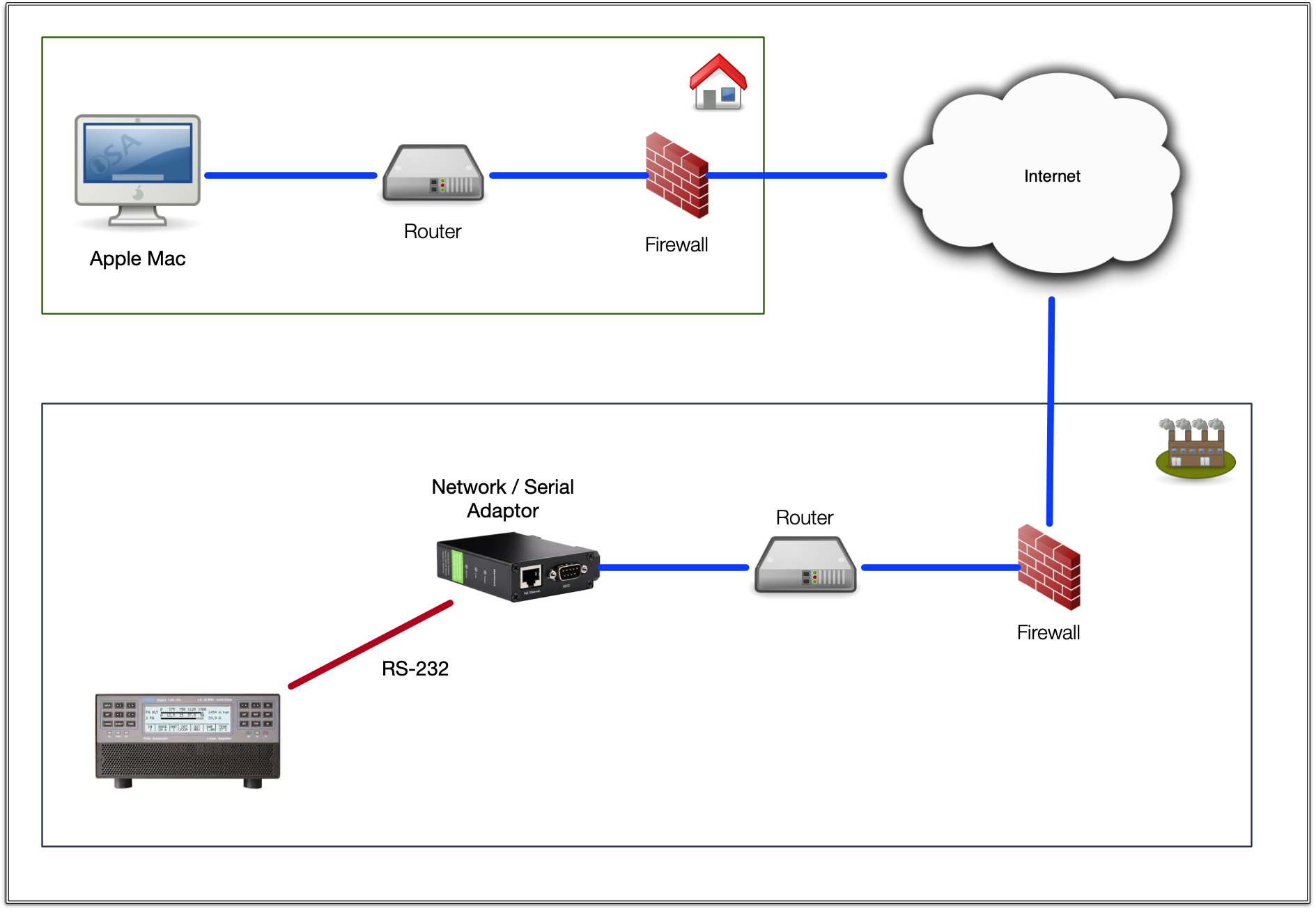
The diagram above illustrates one of the possible methods by which an amplifier may be interfaced to a geographically remote Mac or MacBook computer. Other options exist, such as a Network / Serial adapter that supports multiple RS-232 or USB interfaces; using such permits the connection of multiple amplifiers.
Security
The most secure interfacing option is to use a USB cable connected directly between an Expert amplifier and the Mac on which Expert Controller Plus is running.
When an interface includes an untrusted or public network such as the Internet, its overall security must be considered and the risks mitigated if the activities of mal-actors are to be avoided.
Securing devices such as Network / Serial adapters, routers and firewalls is outside the scope of this User Guide but great care is essential when designing an installation that includes a remote element.
Modbus TCP Relay
SPE Expert amplifiers may be woken from sleep by asserting the RTS signal on their USB, PORT interface. They may also be woken by asserting a ~12 VDC signal on pin 8 of either the CAT1 or CAT2 connectors. Conversely, when these signals are removed an amplifier will enter sleep.
As Expert Controller Plus supports Modbus TCP it is possible to use a Modbus aware relay to assert / de-assert a signal on the RS-232, PORT connector or CAT1 / CAT2 interfaces.
The diagram below illustrates the principle of how a local or remote amplifier may be woken or slept using a Modbus aware relay and a 12 VDC power source. If this approach were implemented, appropriate protections including fusing, should be considered.
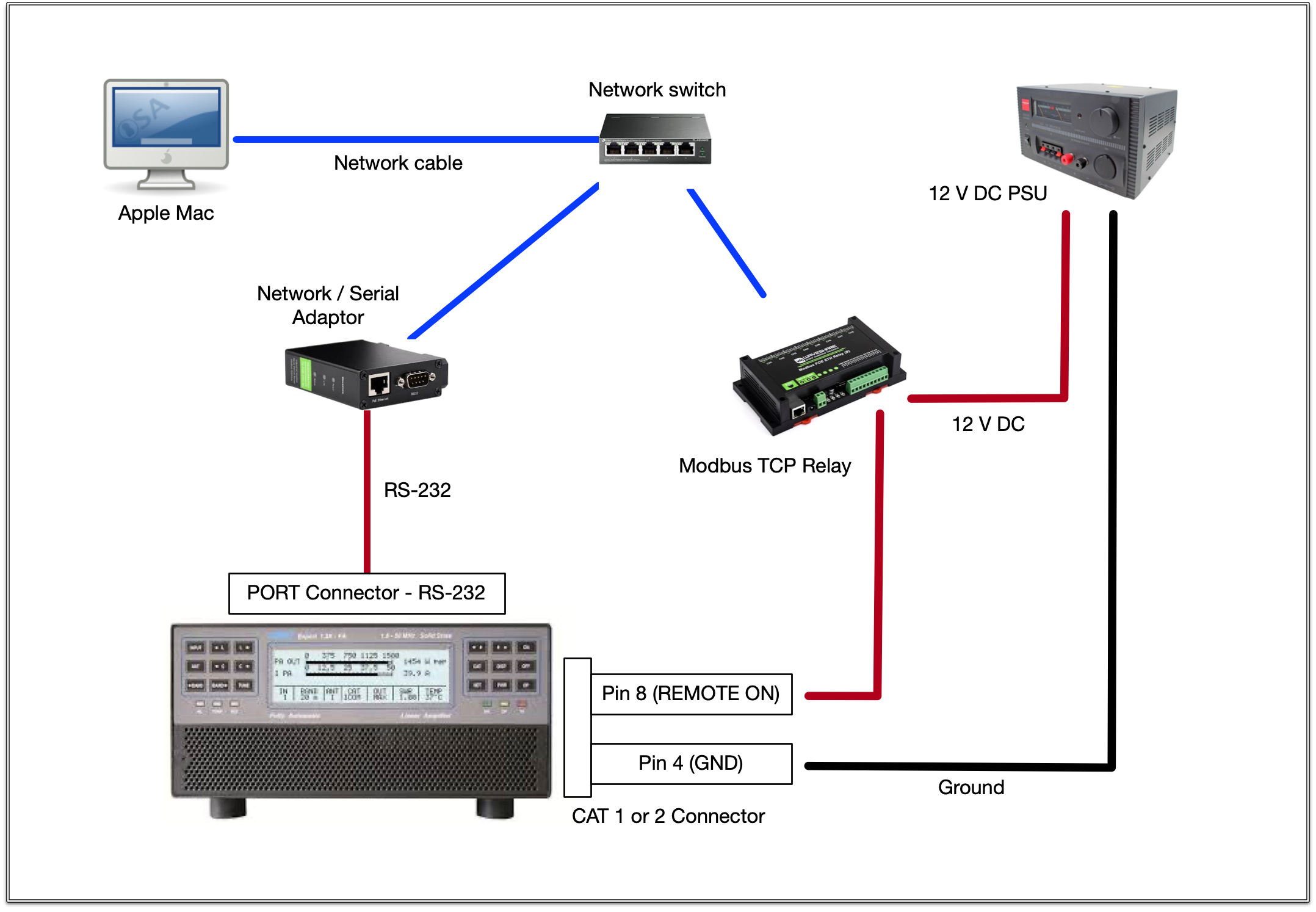
The Waveshare Modbus POE ETH Relay (B) is an example of a relay that supports Modbus TCP. These are available in different variations each containing a different quantity of relays. Devices from other manufacturers are undoubtedly available as Modbus has been standardised for many decades.