Introduction

The goal of this post is to provide a short overview of a new macOS App I’ve created called Modbus Conductor. Through an easy to use interface it enables the control/switching of remote relays and other capabilities across a TCP/IP network using the Modbus TCP protocol. The logo / icon for the App is that shown at the top of this post.
Background
I’ve written about Waveshare products before (here) and how their inexpensive multi-channel network addressable devices may be used to control equipment at a remote amateur radio station. Such devices come with different capabilities but the ones I’m interested in here use a TCP/IP interface and implement the Modbus TCP protocol. Modbus TCP is a well-established and documented protocol specifically designed for the control of remote equipment such as relays aka coils.
My Expert Controller Plus App for macOS provides native support for Modbus TCP, and thus the Waveshare products, allowing it to wake / sleep SPE Expert amplifiers at geographically remote locations.
Recently, an Australian radio amateur reminded me that devices such as those from Waveshare contain multiple relays which can be used to control multiple circuits / devices at a remote station. For example, to turn-on/off power to a radio or computer.
Modbus Conductor
Having been prompted to consider expanding the capabilities of Expert Controller Plus to include wider support for switching relays I concluded that Expert Controller Plus was not the optimum location. The result is, I’ve created a new macOS App called Modbus Conductor. Get the joke? Anyway, the App permits the definition of messages which can be sent to one or more Modbus TCP aware devices to control whatever types of actions devices support. This may be switching all its relays on, off, switching them independently or toggling them on/off in sequence etc.
The App is really powerful; its a generic Modbus TCP App and is not therefore constrained to Waveshare devices alone. It requires a Mac with macOS 15+ and, of course, at least one Modbus TCP aware device that is reachable across a TCP/IP network.
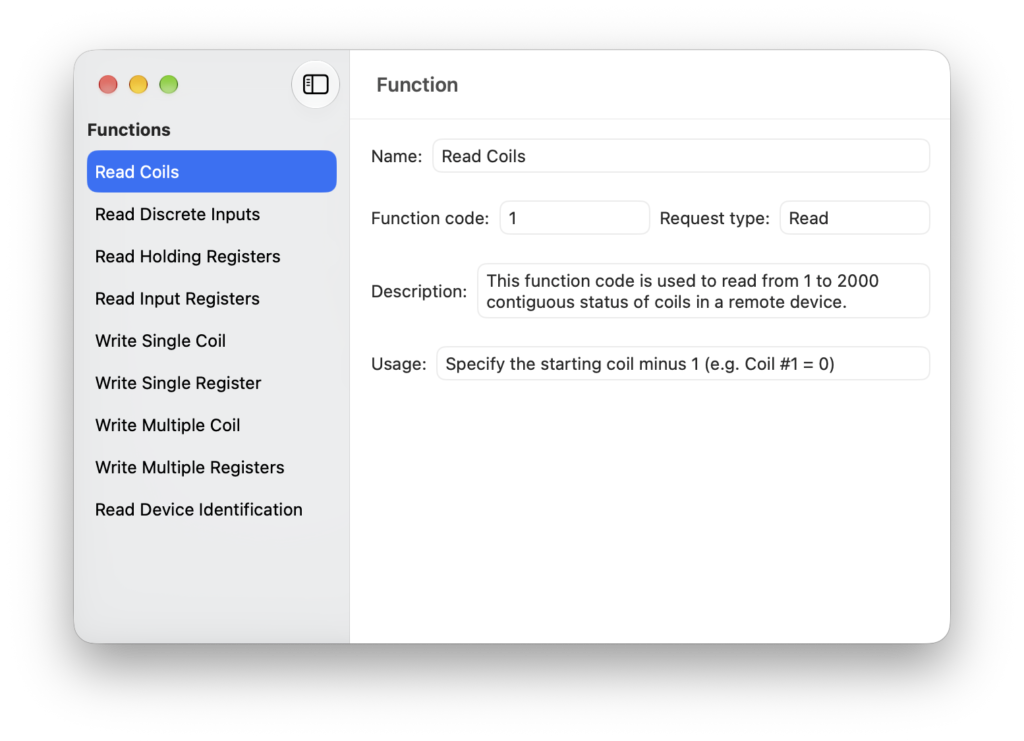
Modbus defines multiple Functions and those implemented by Modbus Conductor are listed in the image below. Functions fall, mainly, into two categories: Read and Write.
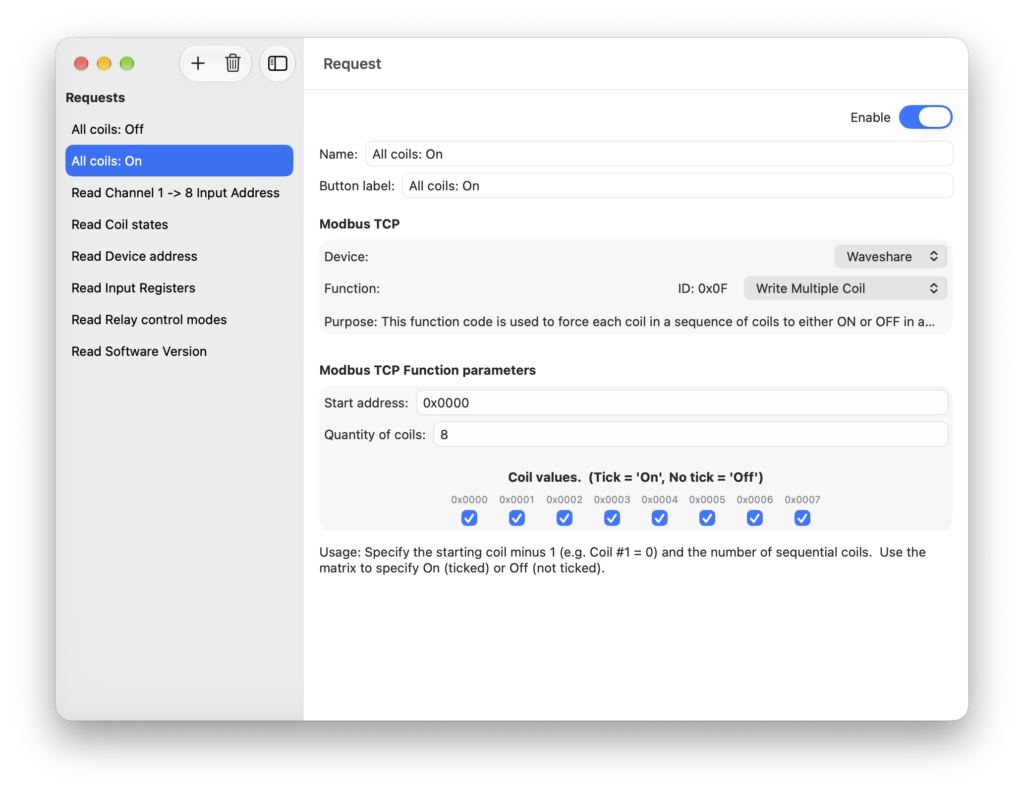
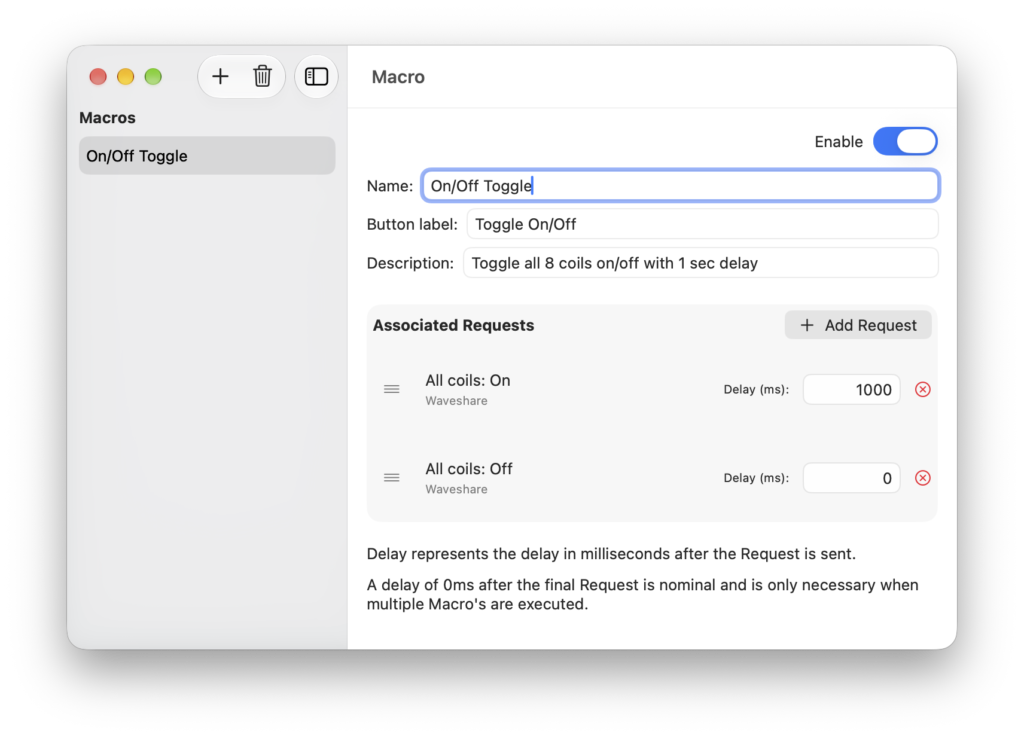
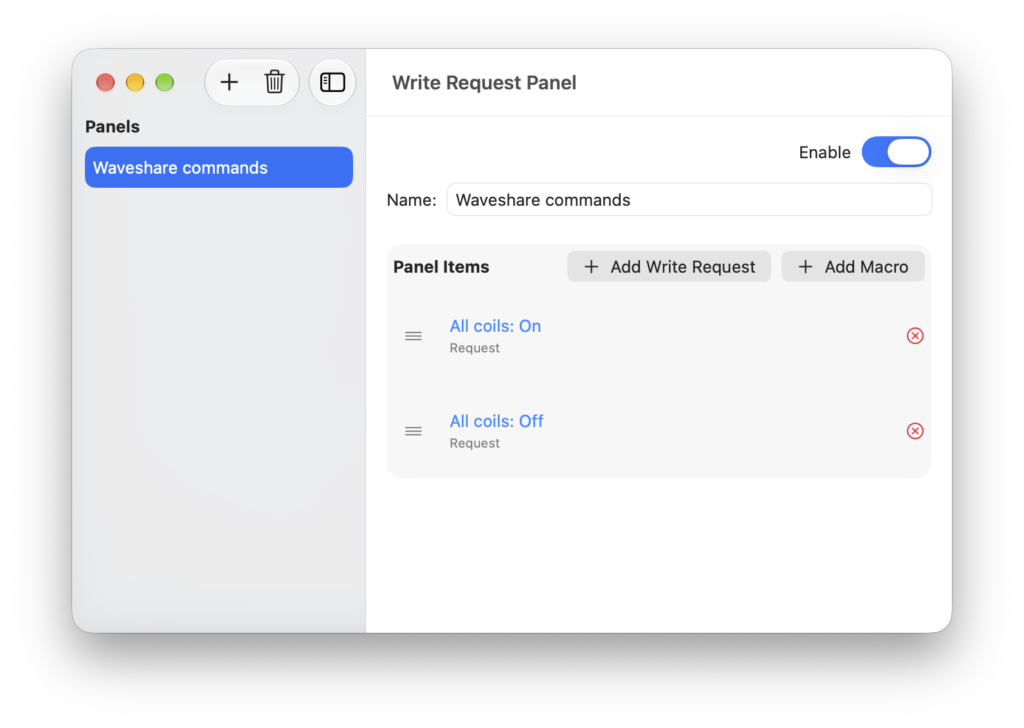
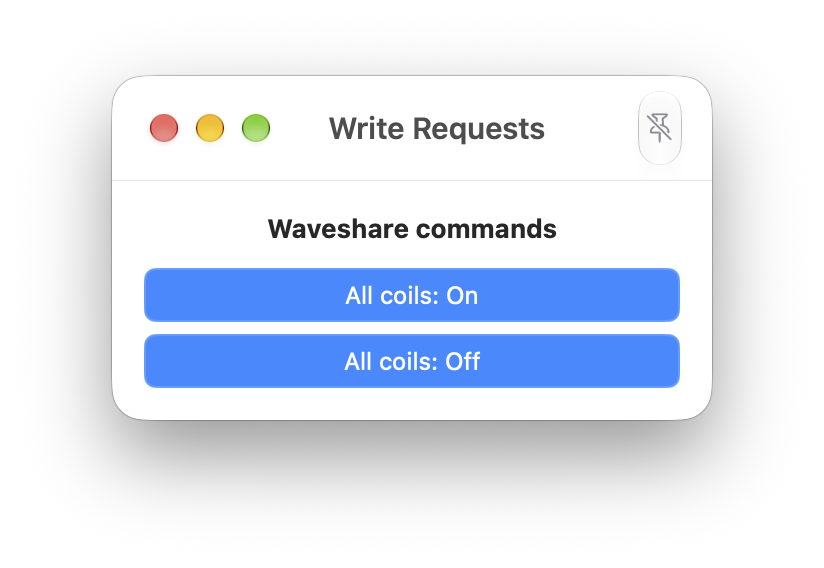
Modbus Conductor permits the definition of multiple Requests and multiple Macro’s (A single macro may contain multiple Requests). Each Request may have one Function. Write Requests and Macro’s can be added to a small Panel window were they are presented as buttons. The image below presents a Panel containing two buttons. These buttons represent two Write Requests, one to turn all relays/coils On the other to turn them Off. This is just an example, relays aka coils may also be addressed individually hence a Panel may contain buttons to turn Amplifier 1 On, Radio 1 On and other buttons to turn them Off etc.
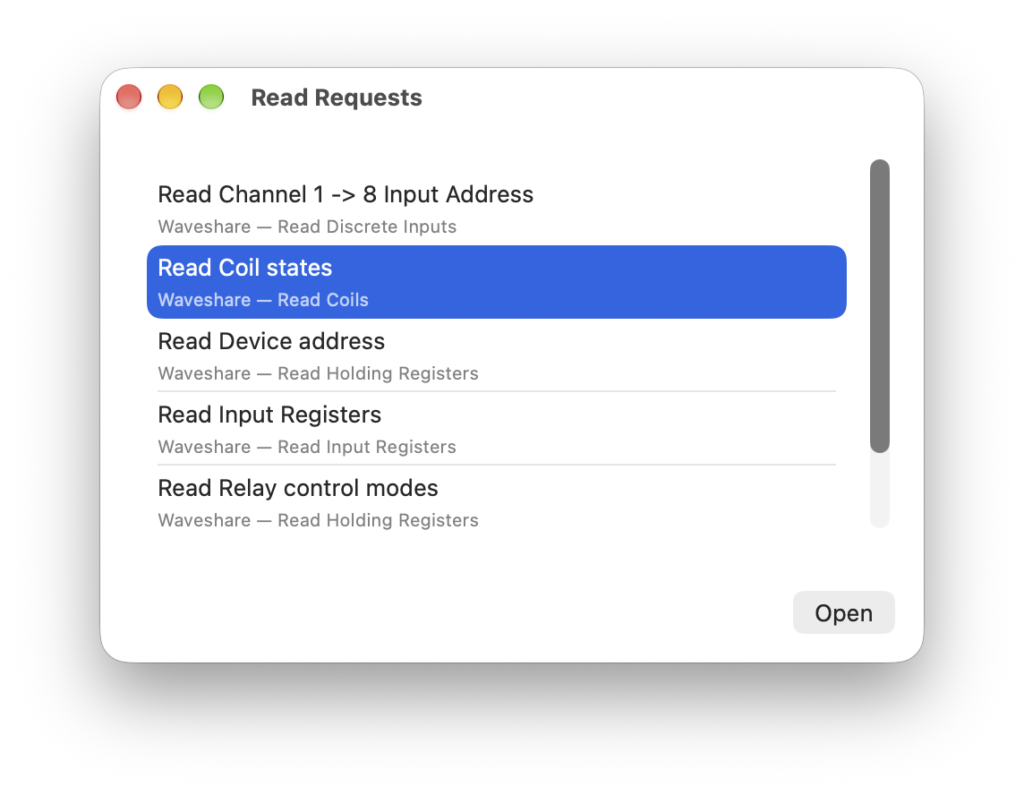
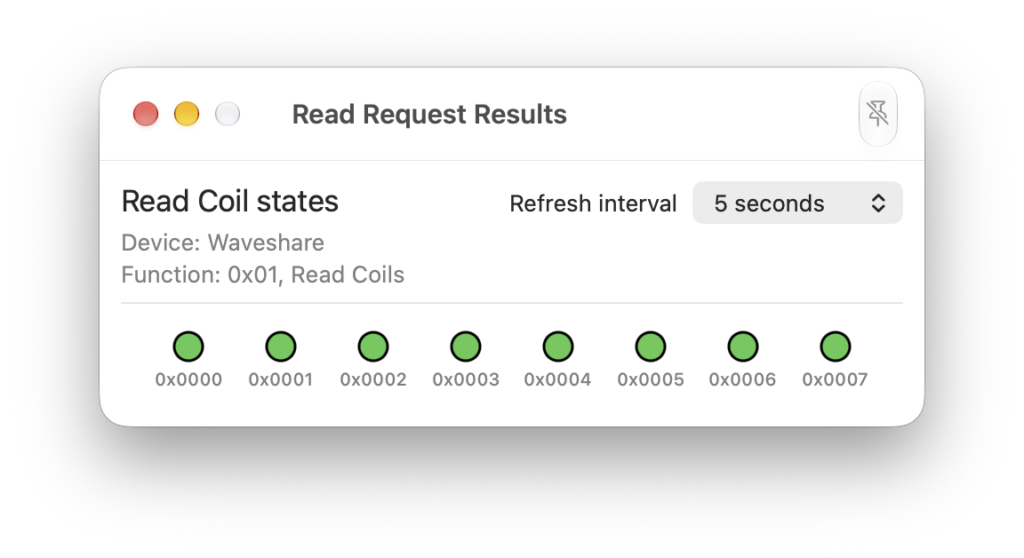
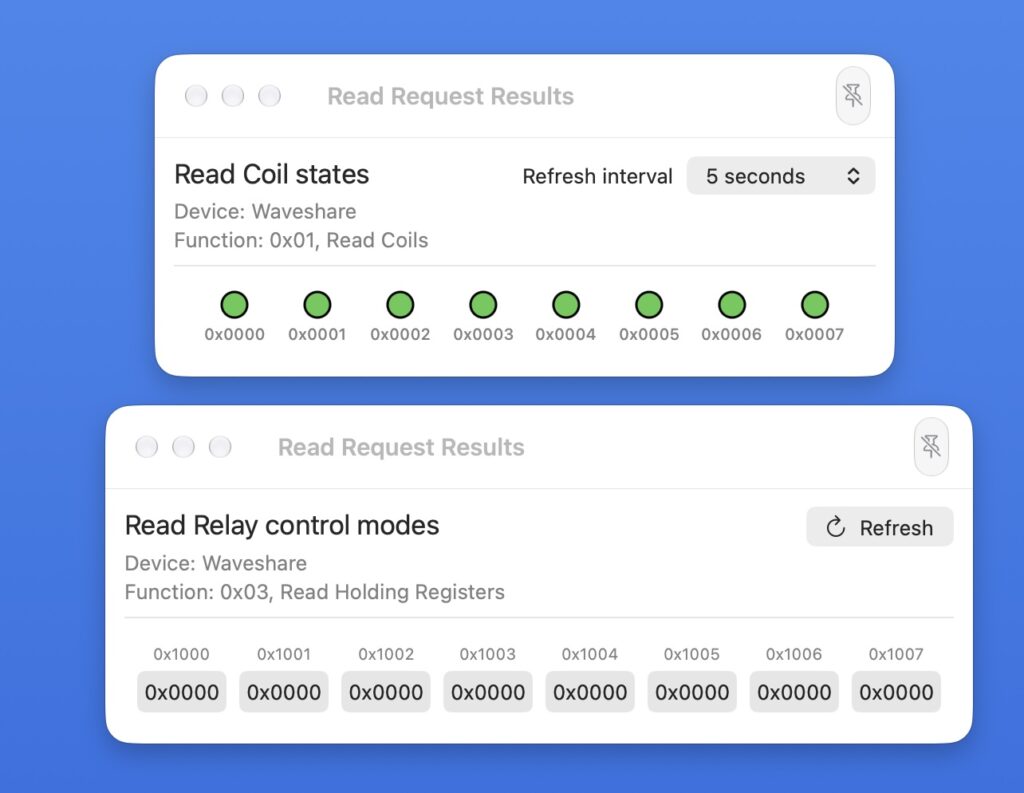
It is also possible to query the state of coils, relays, registers using Read Requests. In Modbus Conductor, these requests may be executed on-demand or on a timer which has the effect of enabling continuous monitoring of a coils etc. The images below illustrate two such monitoring windows; one uses a timer and the other an on-demand refresh, the choice of which is user configurable.
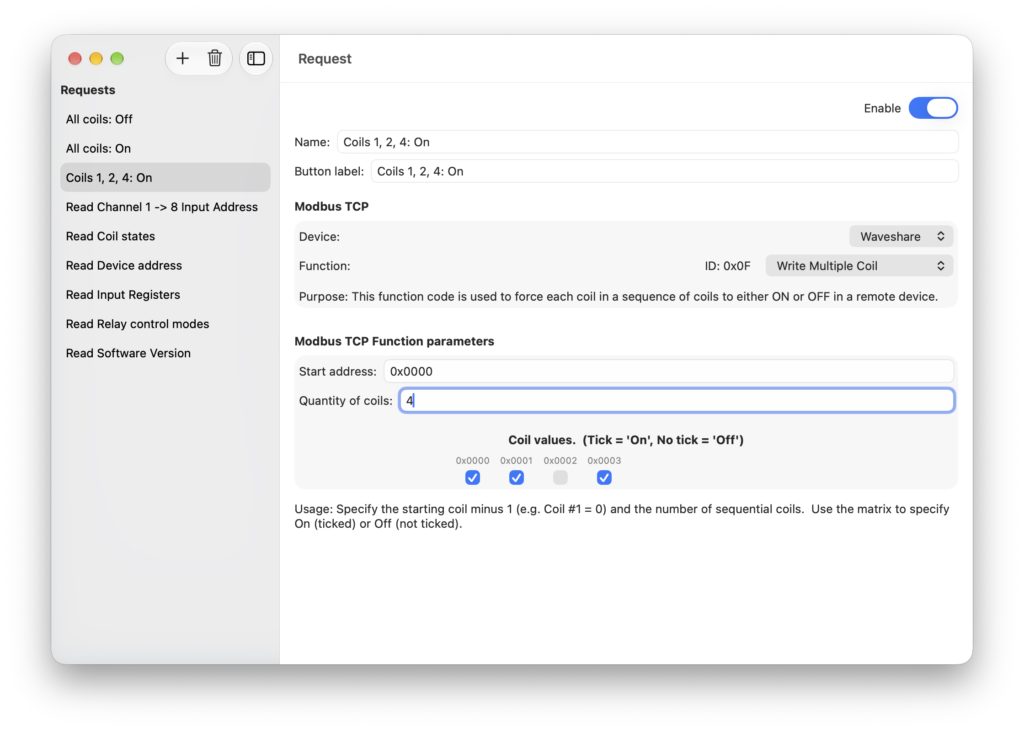
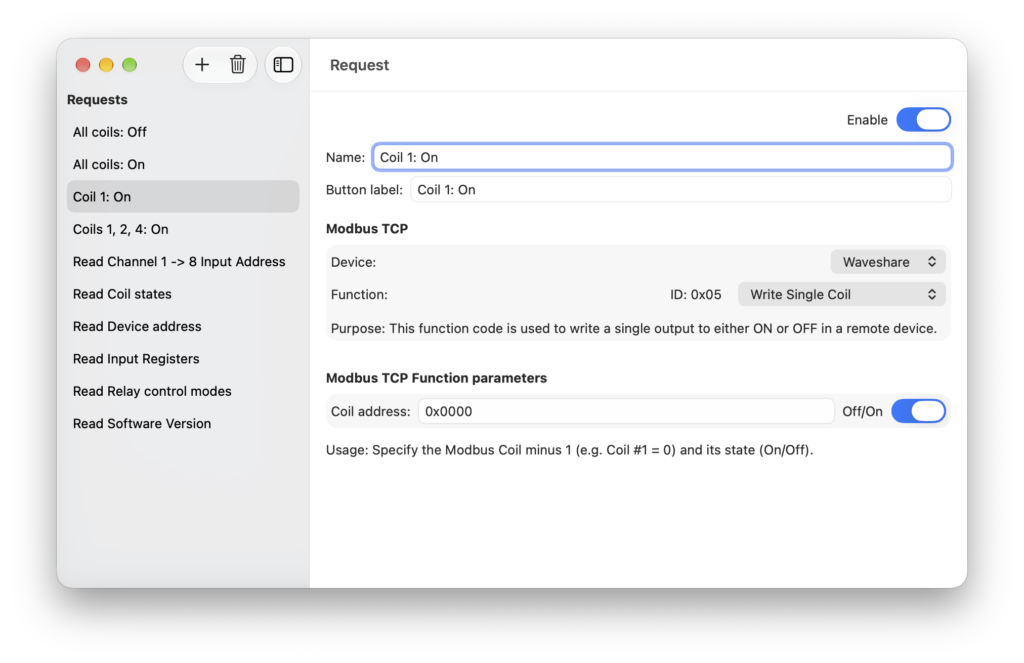
Different Request types are defined using a Request builder. This is a straightforward window supporting the specification of components needed for each Request. For example, the Modbus TCP Device and the Function. The image below is an illustration of a Request which, when sent to its Device, is intended to switch Relay No. 1 – On.
Modbus Conductor Status
The Modbus Conductor App is almost complete. There is some final testing required and it needs a User Guide which I’m in the process of writing. Once that’s done it will be available in the Apple App Store. Like Expert Controller Plus it will have a 30 day, free to use, evaluation period after a low-value, one-off purchase is required.
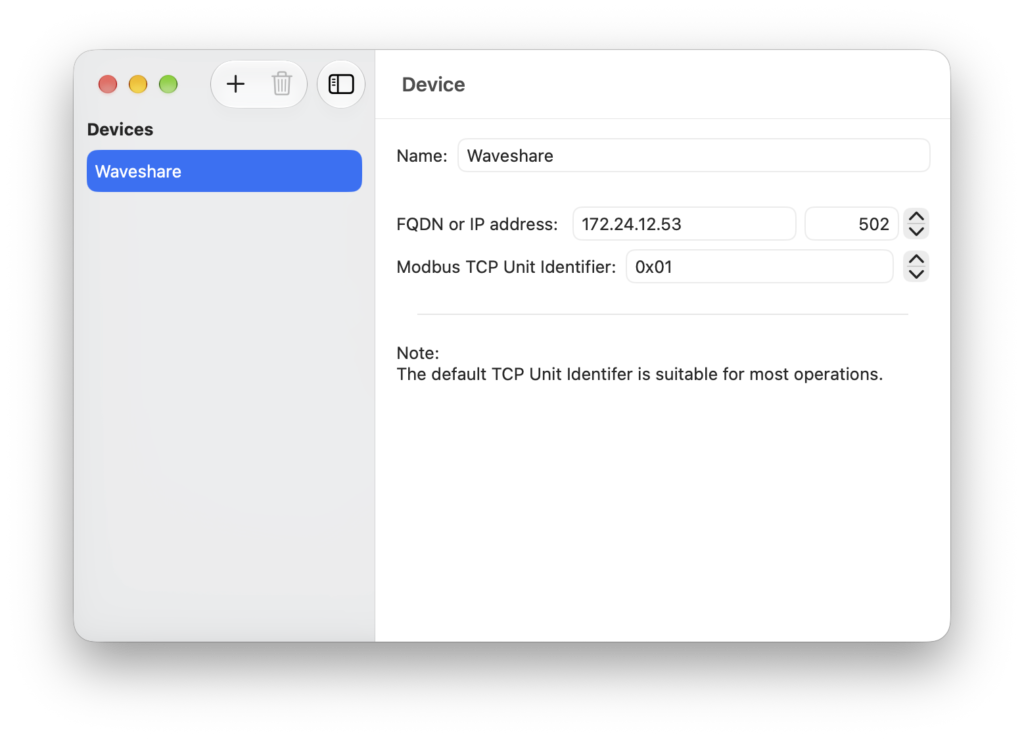
Below are screenshots of many Modbus Conductor windows. I appreciate that without seeing them in the greater operational context of the App its difficult to fully appreciate App capabilities. But they should help.
Modbus Conductor imagery