The first production-ready release of Expert Controller Plus is planned for the start of August 2026. It should become available for download from the Apple App store on 3rd August or very soon after. Maybe even a few days earlier if I can manage it.
If you are considering purchase of Expert Controller I suggest waiting a week and buying Expert Controller Plus.
Expert Controller Plus is a, from the ground up, rewrite of Expert Controller; many new capabilities have been added some of which are:
Multiple, simultaneous SPE amplifier support
Expert 1K-FA support
SPE CO1-2 support (Power combiner)
Resizable windows
Multiple amplifier views including LCD only, Buttons only, Gauges, LCD only
Modbus TCP support for TCP/IP relay management.
Expert Controller Plus will be priced just the same as the existing Expert Controller. However, it will be free to download from the Apple App store and trial for a 30 day period after which purchase will be necessary to continue using the App. I’ve chosen this approach as it provides a risk-free method of trialling the App before purchase.
When Expert Controller Plus is in the Apple App store I’m going to remove Expert Controller from the App store. I’ll continue to support Expert Controller for those who have purchased it, but all new capabilities and features will be added to Expert Controller Plus.
So, keep an eye on this News section as I’ll be writing another post once it becomes available.
As August and the first release of Expert Controller Plus draws nearer its time to update everyone on what’s happening and its release plan.
Expert Controller Plus V1.0 is currently with Apple and in their App store review process. The timetable is still to make it available for sale in August. When that happens I’m going to pull the existing Expert Controller App from new App store sales so that new purchases are of Expert Controller Plus. This removes any chance of purchasing the older App by mistake.
Expert Controller Plus will be priced just the same as the existing Expert Controller. However, it will be free to download from the App store and trial for a 30 day period after which purchase will be necessary to continue using the App. I’ve chosen this approach as it provides a risk-free method of trialling the App before purchase.
I’ll continue to support Expert Controller for some time but Expert Controller Plus is the future and will be the App into which new features, changes etc will be implemented.
Until the time Expert Controller Plus is available in the App store, the most recent Beta test version will remain available for download here. The Beta test version is free to download and has a lifetime of 60 days. There is no option to purchase this version.
So, if you are considering purchase of Expert Controller at this time, I suggest you either try the free, 60 day, Beta test version or wait for V1.0 to become available in the Apple App store during August 2026.
Once Expert Controller Plus is available in the App store I’ll post a news announcement.
The key differences between Expert Controller and Expert Controller Plus are detailed here.
Today I’m happy to announce that I’m making the first, Alpha test, version of Expert Controller Plus available for download.
If you would like to get involved with testing and provide feedback please drop me a message using the Contact page on this website.
Further information about Expert Controller Plus including how to download the software can be found in the Software and Support sections of this website.
Amazon delivered a low-cost, Chinese network / serial adapter yesterday which I now have working successfully between a Mac and an SPE Expert 1.3k-fa amplifier. So, it’s now possible to confirm that Expert Controller and Expert Controller Plus work with both the Waveshare Rail-Mount Serial Server (RS232/485/422 to RJ45 Ethernet Module, with POE) and the PUSR, USR-TCP232-306.
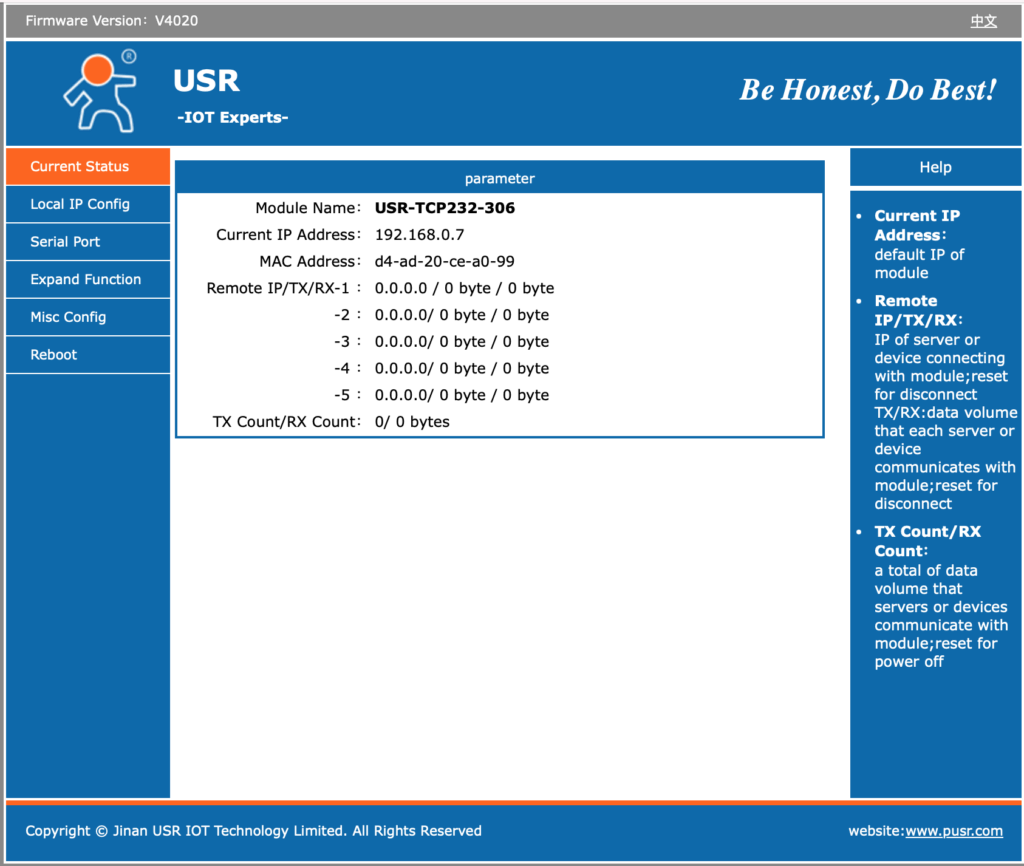
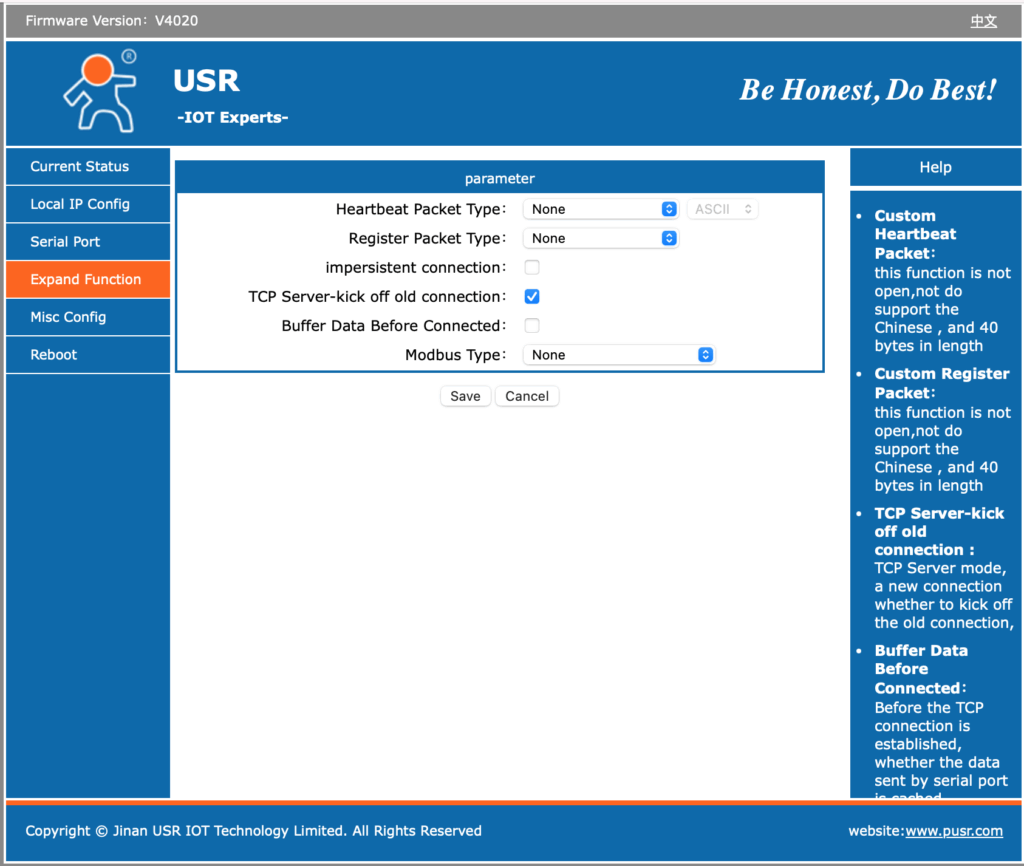
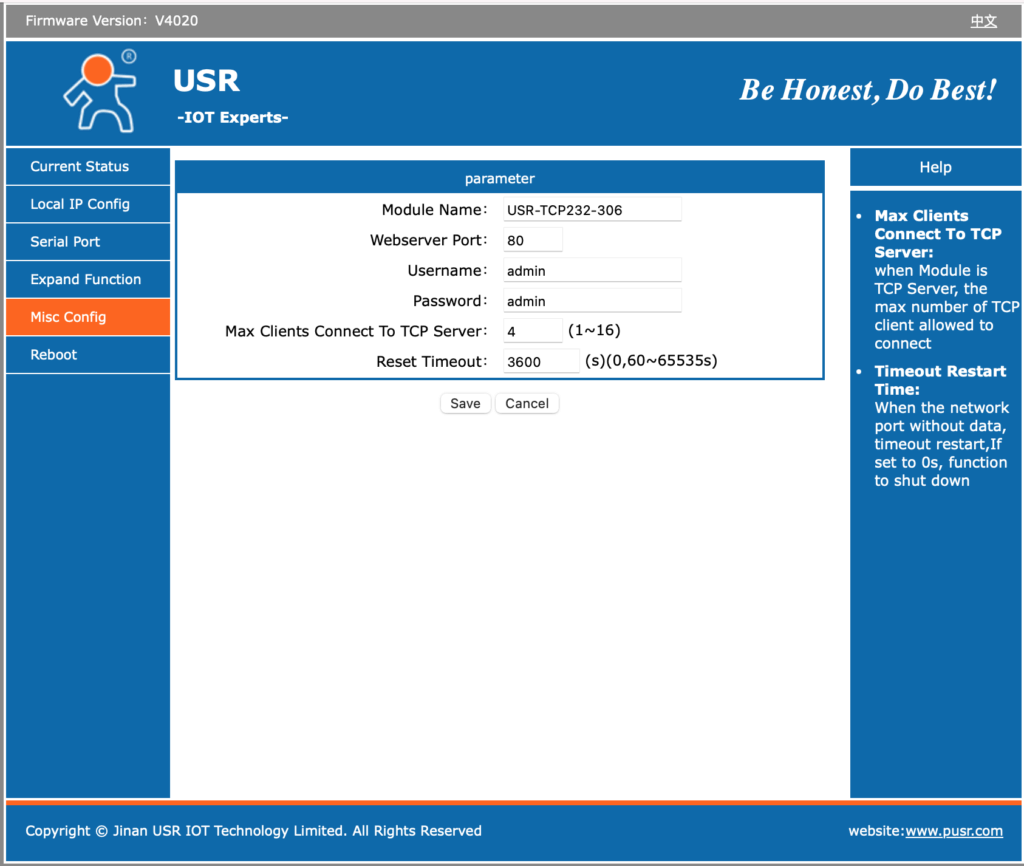
The USR-TCP232-306 is very clearly a device whose interface has been translated to English as much of the on-screen ‘Help’ information is quite meaningless. The following is just one example of several such messages: “Custom Register Packet: this function is not open, not do support the Chinese , and 40 bytes in length”.
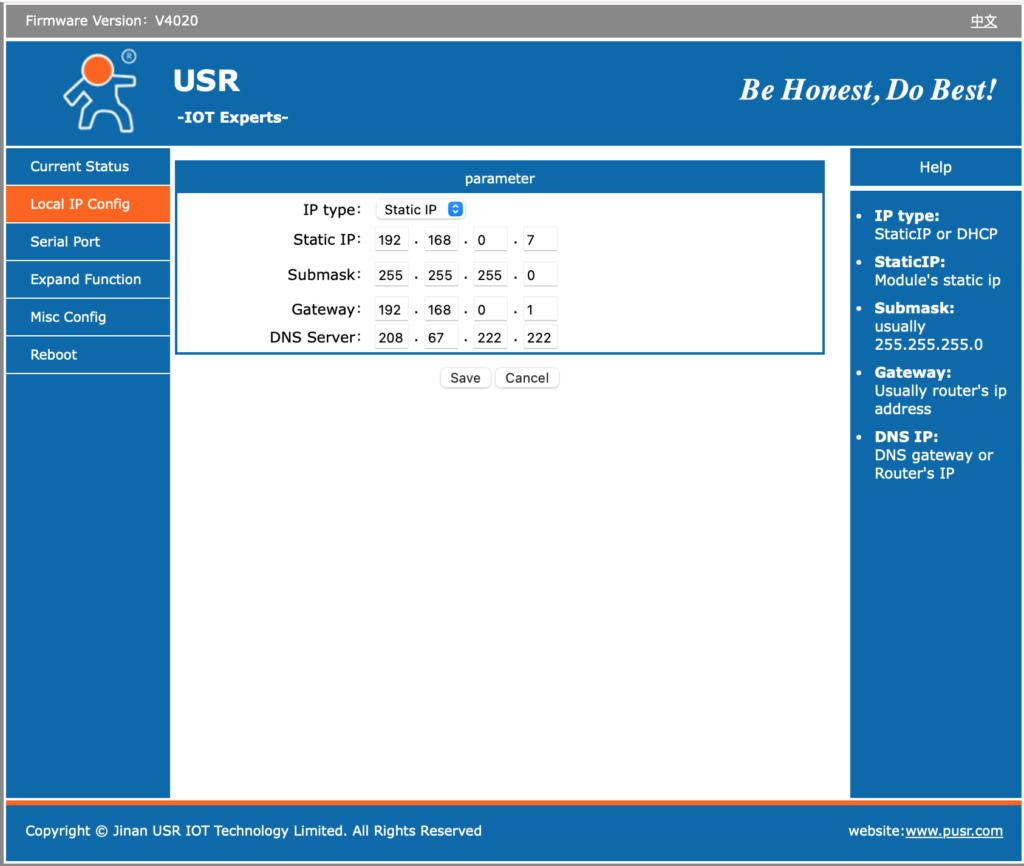
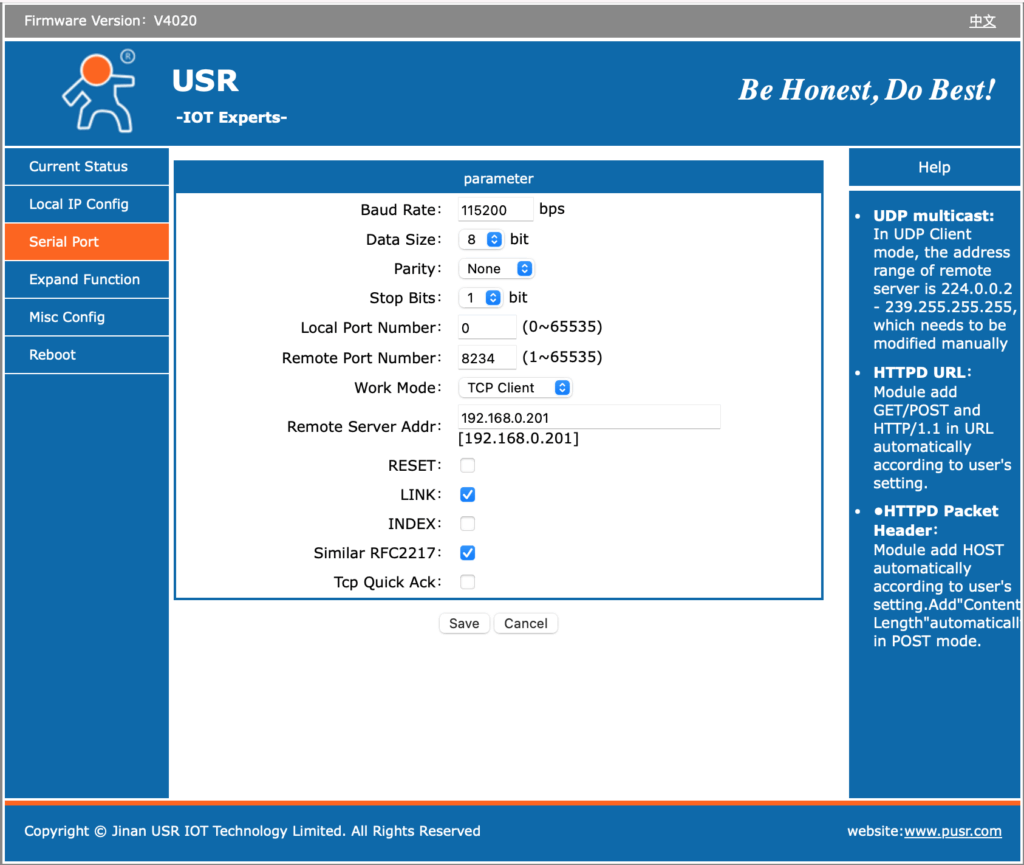
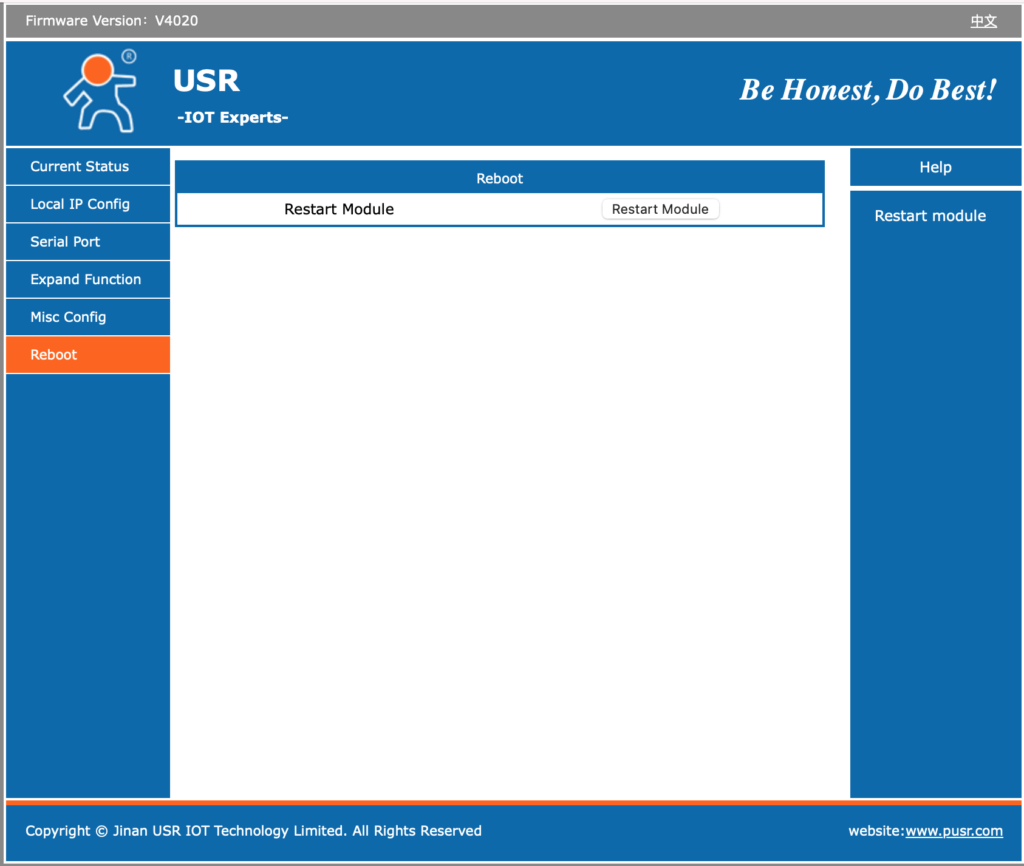
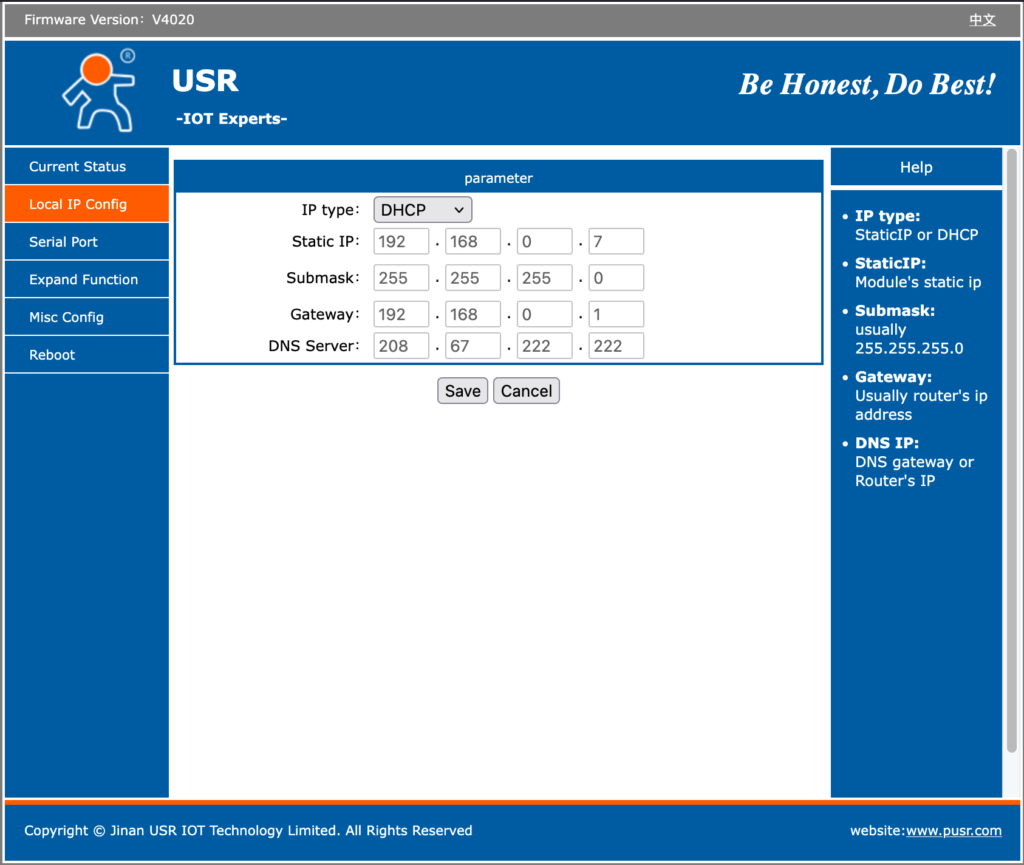
Below is a gallery of the six web pages it offers for configuration. Select an image to expand a larger view.
The above images show the default settings prior to any changes to support my needs. It is worth noting that on the underside of the adapter is a sticky label identifying its preset IPv4 address, MAC address and login credentials (username and password).
A word about security
The device only supports IPv4 and it’s web server implements an HTTP interface using TCP port 80. As such there is no encryption on its network interface. Its default username of ‘admin’ and password of ‘admin’ is also a very insecure baseline configuration. As all network traffic is unencrypted tho, there is little value in strong credentials.
There does not appear to be any support, using the web configurator, to apply firmware updates/patches. I see that as a good thing as devices such as these should not be left to query and download updates from the Internet unattended. Doing so would provide a door through which updates containing malicious or, at the very least, unwanted software could be introduced.
The web-configuration interface is simple and straightforward although its not clear what some options do even after reading the documentation. However, don’t assume what you see is the entire interface. I’d be willing to bet there are some undocumented web-pages in there too! A scan for open ports identified TCP listeners on ports 80, 1501 & 4196. The first (HTTP) and last (my config for network/serial data) are to be expected. However why is it listening on 1501? Perhaps this is how the PUSR, VCOM software connects? Unknown, but certainly worth ensuring that 1501/TCP is blocked by firewall rules.
Something that concerns me slightly is that it supports specification of a DNS server. Why does a simple network/serial adapter need to resolve DNS names? There may be a harmless reason, but it is possibly a hint that it contains some capability that requires this…
This adapter and any similar adapter, including the aforementioned Waveshare, should never be exposed to the Internet. If remote access is required always, protect its interface with a VPN, overlay network or deploy other protective measures. Furthermore, I would recommend that it be tightly fire-walled so that it cannot originate traffic to any LAN or WAN – including the Internet – endpoint. Incoming traffic should also be blocked to all but those ports absolutely necessary for it to fulfil its function.
The simple message is don’t assume these devices are friendly; treat them as hostile and a threat to your network and connected infrastructure.
Configuration
It is my choice to use DHCP and Dynamic DNS on my LAN as opposed to static IP addresses per device. I therefore, chose to configure my USR-TCP232-306 to use DHCP and made a Reservation within my DHCP servers for it’s MAC address. My DHCP servers will insert a name of my choice into DNS. DHCP can be selected on its ‘Local IP Config’ tab/page after which the specification of other network parameters is disabled but previous values remain on-screen. See the leftmost image in the gallery below.
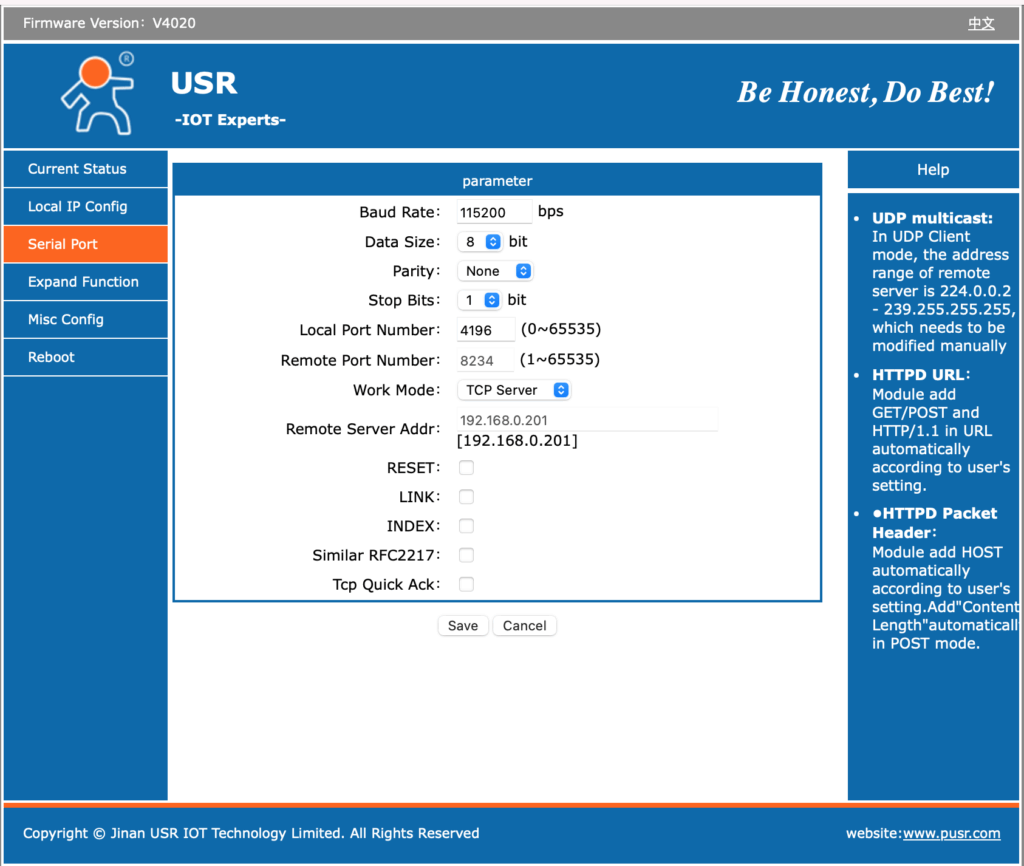
The second image presents the serial config I chose and which works with my Expert 1.3k-fa amplifier. Note that I disabled: INDEX and Similar RFC2217 as I’m not absolutely clear what they do.
The ‘Local Port Number’ contained a default value of ‘0’. That is not useful; the value I chose, 4196, was mearly for convenience and could have been anything greater than 1024.
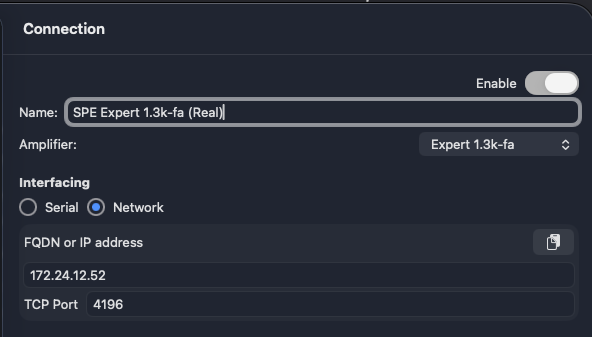
As my DHCP configuration supplies the USR-TCP232-306 with an IP address of 172.24.12.52 and its ‘Local Port Number’ is configured to 4196, I configured Expert Controller Plus as shown in the snipped below. Expert Controller config would be the same. Note: I could equally have supplied the Fully Qualified Domain Name (FQDN) I’ve chosen instead of the IPv4 address.
Serial cable wiring
The three-core cable I created for use with the Waveshare adapter worked just fine which was no surprise as both the USR-TCP232-306 and Waveshare implement a DTE interface. For cable wiring details please read my guide to serial cable wiring.
Final thoughts
Like the Waveshare adapter, the USR-TCP232-306 does not implement hardware flow control and so RTS/CTS and DTR/DSR are not available. I’m aware that some use RTS to signal an amplifier to awaken; that capability will therefore not work and an alternative will be necessary.
A major issue with the Waveshare adapter is a deficient DHCP protocol implementation. I’ve posted about this before but it simply does not renew an address lease either before or on expiration. That is a major problem if you are using DHCP. I’m glad to report that the USR-TCP232-306 does not have this defect. If anything it seems to renew its address more frequently than necessary, with renewal requests hourly regardless of the lease duration!
Yesterday I was in communication with SPE regarding their “Application Programmers Guide” document and I thought I’d share some information that was identified.
The same version – Rev 1.1 dated 15.10.2015 – is the latest available for all amplifier models excluding the original 1k-fa. This is somewhat dated, missing some specific content for more recent amplifiers, notably the 1.5k-fa and 1.5k-Taurus but overall remains applicable.
SPE were kind enough to confirm the following:
That Status message/string, field “ID” may contain one of the following: “13K”, “15K”, “15T” or “20K”. The “T” suffix identifies a Taurus amplifier
For the 1.5k-fa and 1.5k-Taurus, the ‘Memory Bank’ field can be either “A” or “B”
For the 1.5k-fa and 1.5k-Taurus, the ‘Tx Antenna and ATU status’ field is as specified for the 1.3k-fa
That Status message/string field ‘SWR ATU’ is the value measured by sensor SWR 1 and field ‘SWR ANT’ is that measured by sensor SWR 2. Note: The SPE Expert User Manual contains a block diagram that identifies sensors SWR 1 and SWR 2.
This is just a short post to alert users of my SPE Expert Controller App that the Waveshare network / serial adapter, specifically model “RS232/485/422 To RJ45 Ethernet Module, TCP/IP To Serial, with POE Function”, firmware V1.452 appears to have what I consider a defect in its DHCP implementation. I wanted to make those who have this device or who are thinking about purchasing this device aware.
Firstly let me give a brief overview of DHCP. When a client using DHCP starts it broadcasts a DHCP Discover message to identify DHCP servers. A server receiving this will Offer an IP address plus other network config information to the client. With this information the client will Request the IP addressing information it wishes to use (as several servers could have responded) and the corresponding server will send an Acknowledgement.
The IP address information Offered has a lease time, a validity time if you like. Once the lease expires the client should no longer use that address information. What a client should do is renew the lease prior to its expiry, often at a period equating to half the lease duration.
OK, with that knowledge I can now say that my Waveshare adapter correctly obtains its IP information on power-on. But it does not appear to respect the lease time so simply continues to use the IP information beyond its lease period / validity period. It does not attempt to renew the lease either.
So what’s the impact of this? Well, two things spring to mind, neither good. As the DHCP server never sees a renewal it expires the IP address and is then within its rights to offer the same address to another client. This results in two devices with the same IP address! That’s going to cause problems. Secondly, its common to configure DHCP servers to push name information to DNS when they allocate an address and to remove that information from DNS when a lease expires. As the Waveshare adapter doesn’t renew the lease my DNS server removes its name from DNS when the lease expires. So name resolution no longer works!
This is not the first time I’ve observed this sort of behavior but its been a few years and that device was another cheap and cheerful Chinese piece of IoT kit.
So, if you have your Waveshare adapter configured to use DHCP and are seeing some hard-to-explain issues, check whether there are two devices using the same IP. If DNS lookups of the Waveshare device are failling after a while (after the lease time) then this is likely the cause.
Going forward it will be the master repository for all software and support related matters for SPE Expert Controller, simGPS and future ham radio Apps.
I hope you find the information you require on the site and, if not, please do use the Contact page to drop me a message. I’ve already added a couple of questions to the SPE Expert Controller FAQ based on questions I’ve received.
The new website is pretty much up and running now. It provides Download and Support information for two apps: SPE Expert Controller and simGPS. Additionally I’ve made available slideware from talk’s I’ve done for radio clubs over the years.
Details about network / serial adapters and serial cable wiring is detailed in the Support section for SPE Expert Controller.
These last few days I’ve been adding lots of content to the Support | SPE Expert Controller section and it now provides an FAQ, User Guides, Release Notes, info about Network/Serial adapters and serial cable wiring. Other sections such as Software, About etc are now being worked on….
It’s now the end of March 2025 and this post formally identifies that I’ve started work to create this website. It’s going to take a while but, as you are reading this, the server is now up and running and providing some basic content….this post!