Overview
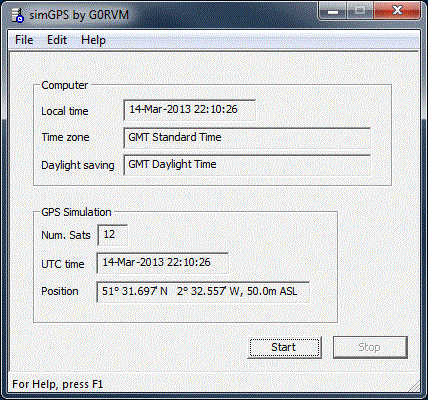
simGPS is a Windows application that simulates a GPS receiver, sending position and time information to any serially connected device using the NMEA 0183 standard. All simGPS needs is a serial interface supported by Windows so, that may be a USB interface, a real RS-232 interface or a virtual serial interface.
simGPS is available to download using the link in the Download section below.
Version 2 was released in 2013 for Windows XP (32 bit), Windows 7 (32 bit and 64 bit) and works with Windows 8 and Windows 10. I’m no longer maintaining the software and so I can’t confirm whether it works with Windows 11 – but it may as Windows is pretty good about retaining backward compatibility.
Description
simGPS simulates a GPS receiver and will send time and position information using the NMEA 0183 standard to any RS-232 or USB connected device thus removing the need for a dedicated GPS receiver.
Two examples among many where this may be useful is with the VarAC application by 4Z1AC and with the Yaesu DMU-2000. Both can be configured to receive time and position information from a GPS receiver connected to a serial interface.
The DMU-2000, especially, is not designed to be ‘portable’ and thus will, when used, inevitably be in a single position/location. Dedicating a GPS receiver to this function by tethering it to a DMU-2000 is thus wasteful.
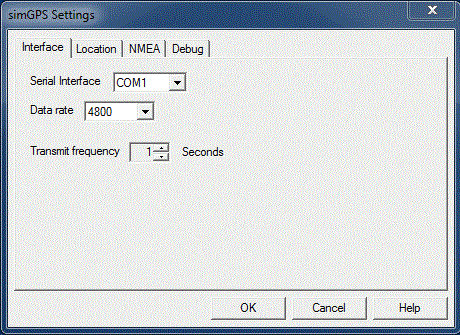
simGPS will send its output to a serial interface known to Windows. If its to be connected to another application such as VarAC a virtual serial cable will be needed. simGPS is configured to write its output to the virtual serial cable and the other application – such as VarAC – is configured to read from that virtual serial cable. There are many virtual serial cable utilities available but one I’ve found reliable is VSPE from Eterlogic Software.
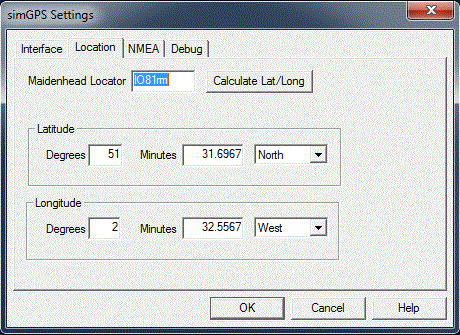
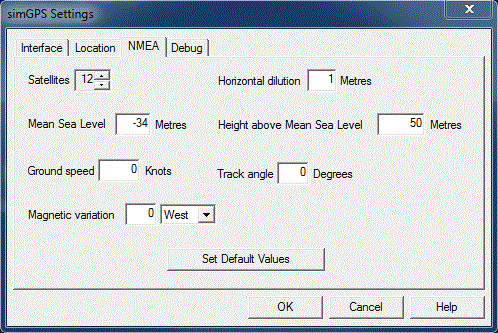
The following NMEA parameters may be configured via a ‘settings’ dialog:
- Position
- Number of satellites
- Horizontal dilution of position
- Mean Sea Level
- Height above Mean Sea Level
- Ground Speed
- Track angle
- Magnetic variation.
Download
Use the Download button below to download a zip file containing the simGPS V2 application.
Installation
- Unzip the contents of the zip archive into any folder
- Run ‘setup.exe’
- After installation a simGPS folder will be found on the Windows Start menu containing the application
- Run the application and configure the application as required.