Tag Archives: Announcements

Announcements about new releases and features

Expert Controller Plus – Update 18

Expert Controller Plus

Tomorrow, I expect to release V0.5.0 of Expert Controller Plus as testing against simulated Expert 1k-fa and Expert 1.3k-fa amplifiers has gone well. It’s also seen hours of continuous, live, testing on my 2020 iMac, macOS 26.4.1 and with my Expert 1.3k-fa in the last couple of days as I’ve finally got myself back on the HF bands and am making SSB contacts around the world.

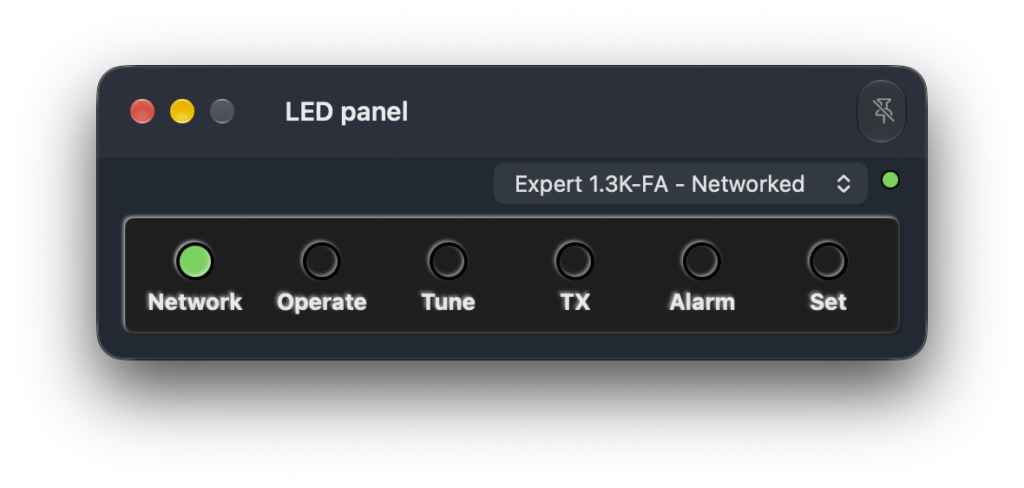
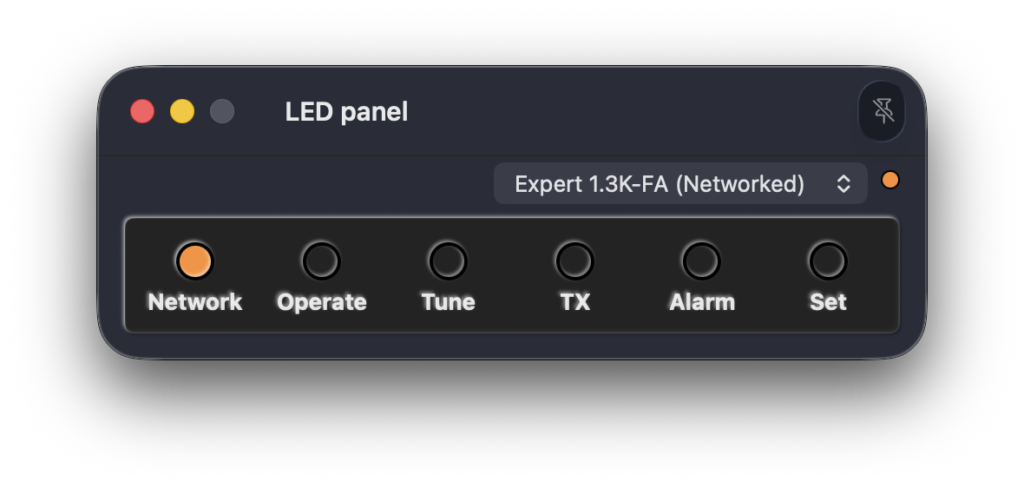
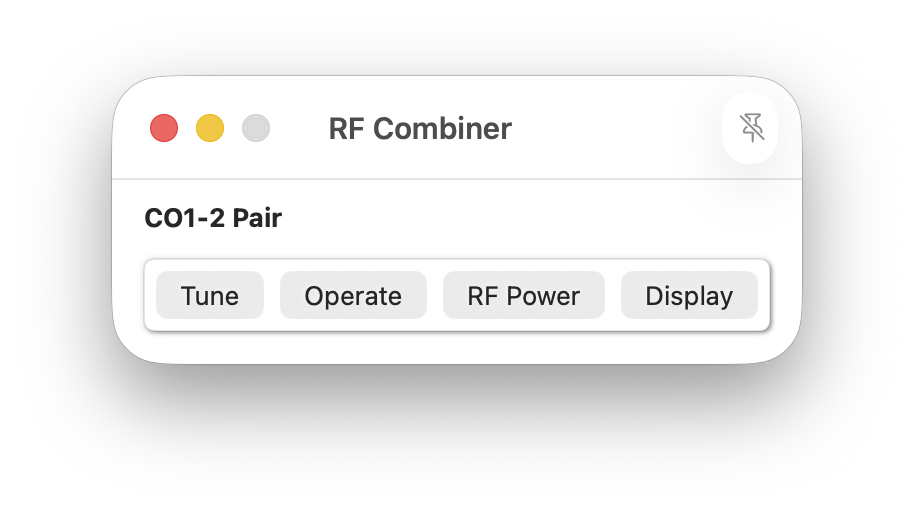
This version has refinements to the ‘Button panel’ window. I’ve now added information just above each button to identify its current state and a ‘Transmit’ / ‘Receive’ message that reflects the Tx/Rx state of a connected amplifier.

These updates make ‘Button panel’ windows much more informative and usable as an LCD or LED window is not also needed to monitor amplifier state. The ‘Button panel’ window occupies less screen space than other view windows and is ideal for those with more constrained screen real-estate.

The new ‘Button panel’ window is shown below:

Expert Controller Plus - Buttons only window
Expert Controller Plus – Buttons only window

The LCD panel only window has also been updated so that it can be resized from very small to very large! Drag to your preferred size!

Expert Controller Plus - LCD window
Expert Controller Plus – LCD window

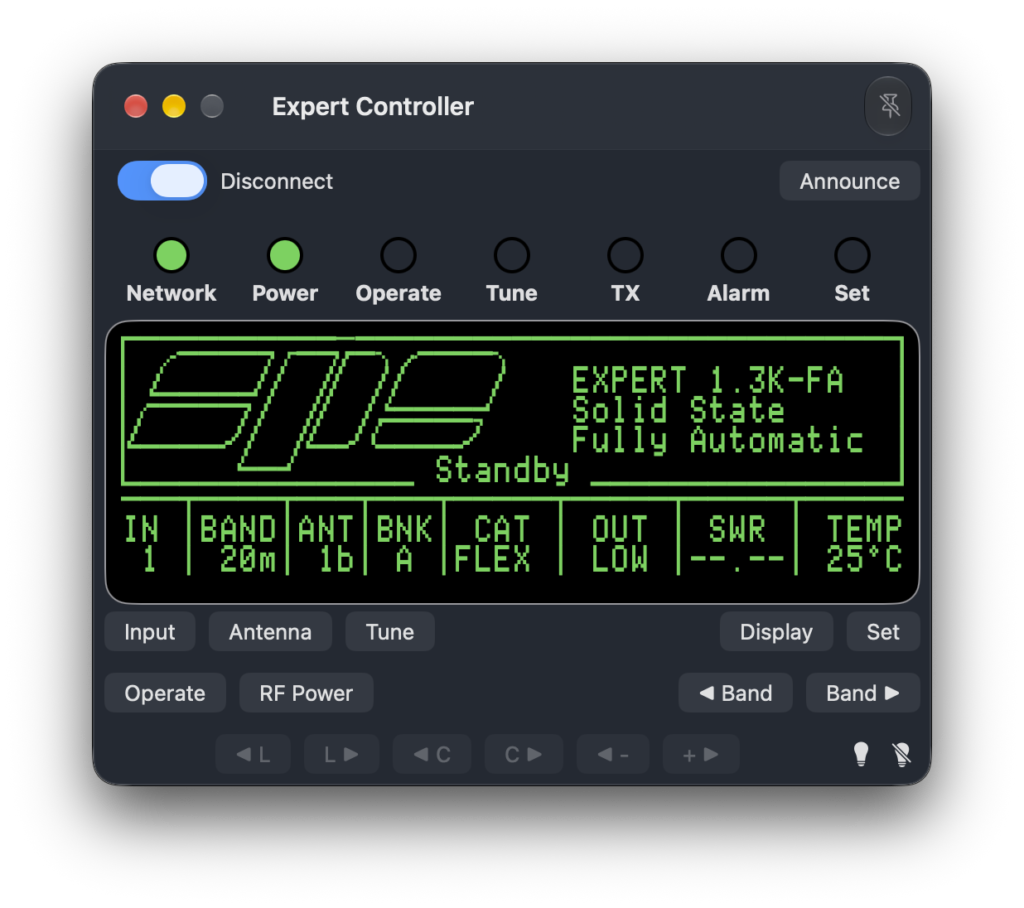
And the last change in this release is a cosmetic one to the LCD and Buttons window. It now has a small grey rectangle surrounding the buttons to match the styling of changes made to the Buttons only window.

Expert Controller Plus - LCD and Buttons window
Expert Controller Plus – LCD and Buttons window

Expert Controller Plus – Update 17

Expert Controller Plus

These last few days I’ve been hunting a bug in the communications code that caused the App to become sluggish when used on TCP/IP networks with levels of jitter higher than anticipated. I believe, it finally got squashed today, fingers-crossed!

It was pretty hard to find and impacted all amplifiers with the exception of the Expert 1k-fa. Over the last few days I’ve improved the code in this area and made a couple of releases (V0.4.1 and V0.4.2). This bug is squashed in version 0.4.3 Build 682 and can be download from the Downloads page or the App should detect this later version and offer it’s download and installation.

Andy

Expert Controller Plus – Update 16

Expert Controller Plus

Expert Controller Plus v0.4.1 has been made available today. It contains improvements to the code that polls amplifiers for their status, resulting in greater robustness on networks with higher jitter and latency than with earlier versions.

Overall, Alpha testing hasn’t been as extensive as I’d like with little to no feedback from those with an Expert 1k-fa amplifier. But as feedback from those with other amplifier models has been positive, but limited, I’ve moved from an Alpha to a Beta test phase.

If you have downloaded Expert Controller Plus and are using it, it would be great to have some feedback as its the only way I know how well its working. If you would like to try it, then please go ahead, download it from here and let me have some feedback. There is no user documentation available yet, but please drop me a message if you have questions or issues.

Andy

Expert Controller Plus – Update 15

Expert Controller Plus

In the latest Alpha test release of Expert Controller Plus (v0.4.0-620) there is now a window for each amplifier Connection that presents the forward RF Power, PA Volts, PA Amps and temperatures as reported by an Expert amplifier. The window is available from the ‘New’, top-level menu.

Expert Controller Plus - Gauges (Expert 2k-fa)
Expert Controller Plus – Gauges (Expert 2k-fa)

The new Gauges window is also available for the Expert 1k-fa amplifier. As it reports only a single temperature, only one temperature gauge is shown.

Expert Controller Plus - Gauges (Expert 1k-fa)
Expert Controller Plus – Gauges (Expert 1k-fa)

Another small change, but one that saves a little screen/display real-estate, is the removal of the text ‘Connection:’, a divider and a little white-space from all windows that allow selection of a Connection. The new design for these windows is reflected in the Gauges windows above.

This update is available through the ‘Check for updates…’ capability added in the previous release or as a new download from the downloads page.

I’m seeking testers, with any Expert amplifier but especially an Expert 1k-fa so, If you would like to get involved with testing and provide feedback please drop me a message using the Contact page on this website.

Further information about Expert Controller Plus including how to download the software can be found in the Software and Support sections of this website.

What’s the difference between Expert Controller and Expert Controller Plus? Click here to read about the key differences.

Expert Controller Plus – Update 14

Expert Controller Plus

Expert Controller Plus v0.3.0-612 includes the ability to check for updates using the new ‘Check for Updates…’ menu-bar option. On its selection, the App checks to see if a newer version is available and if identified, downloads the update and starts the installation process. Installation requires user authorisation which must be granted for it to complete.

Check for Updates...
Check for Updates…

Additionally, the new update function also supports automatic checks for a later version and the ability to automatically download and install updates. The image below presents an example of a window notifying that an update is available.

Check for Updates - A new version is available
Check for Updates – A new version is available

Also included in this update are improvements to Apple Voiceover descriptions for Stepper aka Spinner controls. These are predominately used in Connection settings but are also in the Application settings.

The previous version introduced keyboard shortcuts for the top-level menu, View | Announcements, Activation | Groups and Activation | Connections options. These keyboard shortcuts have been changed in this version to the following: Shift+Command+A, Shift+Command+G, Shift+Command+C.

I’m seeking testers, with any Expert amplifier but especially an Expert 1k-fa so, If you would like to get involved with testing and provide feedback please drop me a message using the Contact page on this website.

Further information about Expert Controller Plus including how to download the software can be found in the Software and Support sections of this website.

What’s the difference between Expert Controller and Expert Controller Plus? Click here to read about the key differences.

Andy

Expert Controller Plus – Update 13

Expert Controller Plus

Today it’s the end of January 2026 and I’m making available Expert Controller Plus, Version 0.2.3, Build 566 for Alpha testing. It contains the following changes.

  • Keyboard shortcuts have been added to top-level menu options: Announcements, Activate | Groups and Activate | Connections
  • The Apple Voiceover labels and hints for buttons have been reviewed and updated.
  • Apple Voiceover now identifies keyboard shortcuts were they exist on buttons.
  • Four Keyboard shortcuts have been added to buttons in the Activate | Groups and Activate | Connections windows:
    • Start – Command-S
    • Stop – Command-T
    • Wake – Command-W
    • Sleep – Command-P

I’m looking for testers, especially for the Expert 1k-fa so, If you would like to get involved with testing and provide feedback please drop me a message using the Contact page on this website.

Further information about Expert Controller Plus including how to download the software can be found in the Software and Support sections of this website.

What’s the difference between Expert Controller and Expert Controller Plus? Click here to read about the key differences.

Expert Controller version 1.3.0

Expert Controller

Version 1.3.0 of Expert Controller will be available in the Apple App Store in early January 2026. If your Mac is configured to download and install updates, no further actions will be necessary. For others, please visit the Updates section of the App Store, select the App and download to install. The update does not change any existing Settings so all will be retained, unchanged.

System requirements for Version 1.3.0 remain unchanged from earlier versions. So, an Apple Mac running either macOS 14, 15 or 26 and an SPE Expert 1.3k-FA or later amplifier.

Version 1.3.0 contains cosmetic changes so that its windows look great on macOS 26 and earlier versions along with some minor improvements to Accessibility and some bug fixes. It has a new icon which conforms to macOS 26 sizing requirements and whose design is common between Expert Controller and Expert Controller Plus.

What’s the difference between Expert Controller and Expert Controller Plus?

Click here to read about the key differences

The list below summarises the changes in Expert Controller 1.3.0:

  • Iconography updated for macOS 26 and to align with that used by Expert Controller Plus.
  • The font used in the LCD window has been updated to resolve an issue with all bar-graphs not displaying their final character correctly.
  • The Backlight button has been replaced with two buttons that use a bulb icon. These icon buttons have been relocated to the lower-right side of the Controller window.
  • The Float button has been replaced with a new button using a Pin icon and relocated to the Title-bar of the Controller window.
  • The visual appearance of the Controller window has been updated to improve alignment with macOS 26 and earlier versions.
  • Buttons on the Controller window have been re-grouped to improve usability and align with the layout used by Expert Controller Plus.
  • The light and dark mode graphics of a stylised amplifier shown in the LCD panel when disconnected have been updated.
  • The application has been renamed ‘Expert Controller’ to align more clearly with the naming scheme used by the plus version – ‘Expert Controller Plus’.
  • To improve Accessibility, some buttons have either been relabelled or new Accessibility labels applied.
  • The ordering of items in the Announce / spoken-report has been adjusted.
  • The embedded User Guide and Release Note documents have been removed and replaced with links to https://g0rvm.uk from where the documents may be downloaded.

Below is a image presenting the updated Controller window on macOS 26.

Expert Controller v1.3.0

Andy

Expert Controller Plus – Update 12

Expert Controller Plus

Today I’m making available Expert Controller Plus, Version 0.2.2, Build 539 available for Alpha testing. It contains the following minor fixes.

  • A Connection cannot now be Disabled using the Settings | Connection window if it is in use.
  • The Amplifier selection may not be changed whilst its associated Connection is in use.
  • The references to web pages ‘News’ and ‘Support’ under the Help menu have been updated.
  • The Welcome window link to Support information at g0rvm.uk updated.

I’m looking for more testers, especially for the Expert 1k-fa so, If you would like to get involved with testing and provide feedback please drop me a message using the Contact page on this website.

Further information about Expert Controller Plus including how to download the software can be found in the Software and Support sections of this website.

What’s the difference between Expert Controller and Expert Controller Plus? Click here to read about the key differences.

Expert Controller Plus – Update 11

Expert Controller Plus

Today I’m happy to announce that I’m making the first, Alpha test, version of Expert Controller Plus available for download.

If you would like to get involved with testing and provide feedback please drop me a message using the Contact page on this website.

Further information about Expert Controller Plus including how to download the software can be found in the Software and Support sections of this website.

What’s the difference between Expert Controller and Expert Controller Plus? Click here to read about the key differences.

Expert Controller – macOS 26 Beta 9

Expert Controller

As a test, this morning I’ve been running SPE Expert Controller version 1.2.2, on the latest developer release of macOS 26 Beta 9 and I’m happy to report that it still appears to run just fine with no issues just as it did on Beta 2.

SPE Expert Controller v1.2.2, macOS26 Beta 9

Testing was on a virtual Mac machine, as oppsed to real physical Mac, connected to my amplifier using a network connection and Waveshare adapter. But everything including Voiceover worked just fine.

Expert Controller continues to look just the same as it does on macOS 15 with the minor irritation that the application icon in the Dock is enclosed inside a grey box. But, hey, that’s Apple’s way of telling users an App hasn’t been updated for Liquid Glass.

Once Apple have done the full public release macOS 26 my intention is still to update Expert Controller to incorporate Liquid Glass whilst retaining backward compatibility with macOS 14 and 15. I’m not yet clear how a redesigned icon for macOS 26 will look on earlier macOS versions but, I guess, I’ll find out soon enough. Thanks Apple!

Andy