Amazon delivered a low-cost, Chinese network / serial adapter yesterday which I now have working successfully between a Mac and an SPE Expert 1.3k-fa amplifier. So, it’s now possible to confirm that Expert Controller and Expert Controller Plus work with both the Waveshare Rail-Mount Serial Server (RS232/485/422 to RJ45 Ethernet Module, with POE) and the PUSR, USR-TCP232-306.
The USR-TCP232-306 is very clearly a device whose interface has been translated to English as much of the on-screen ‘Help’ information is quite meaningless. The following is just one example of several such messages: “Custom Register Packet: this function is not open, not do support the Chinese , and 40 bytes in length”.
Below is a gallery of the six web pages it offers for configuration. Select an image to expand a larger view.
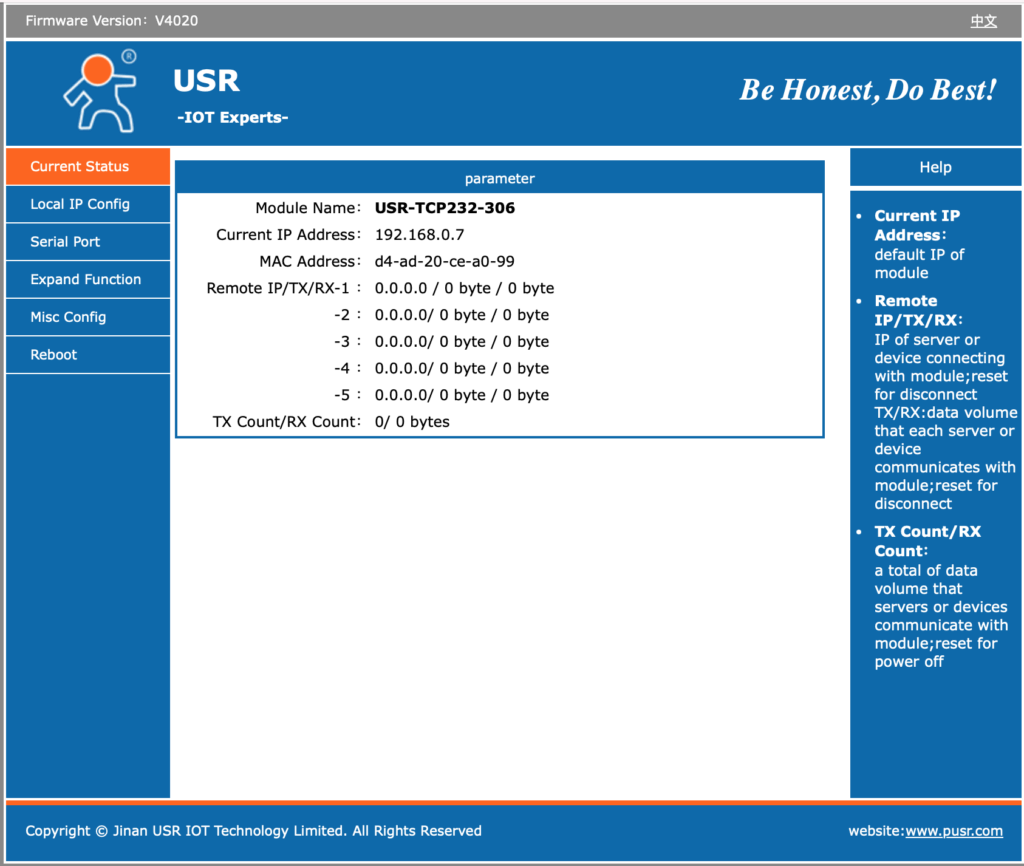
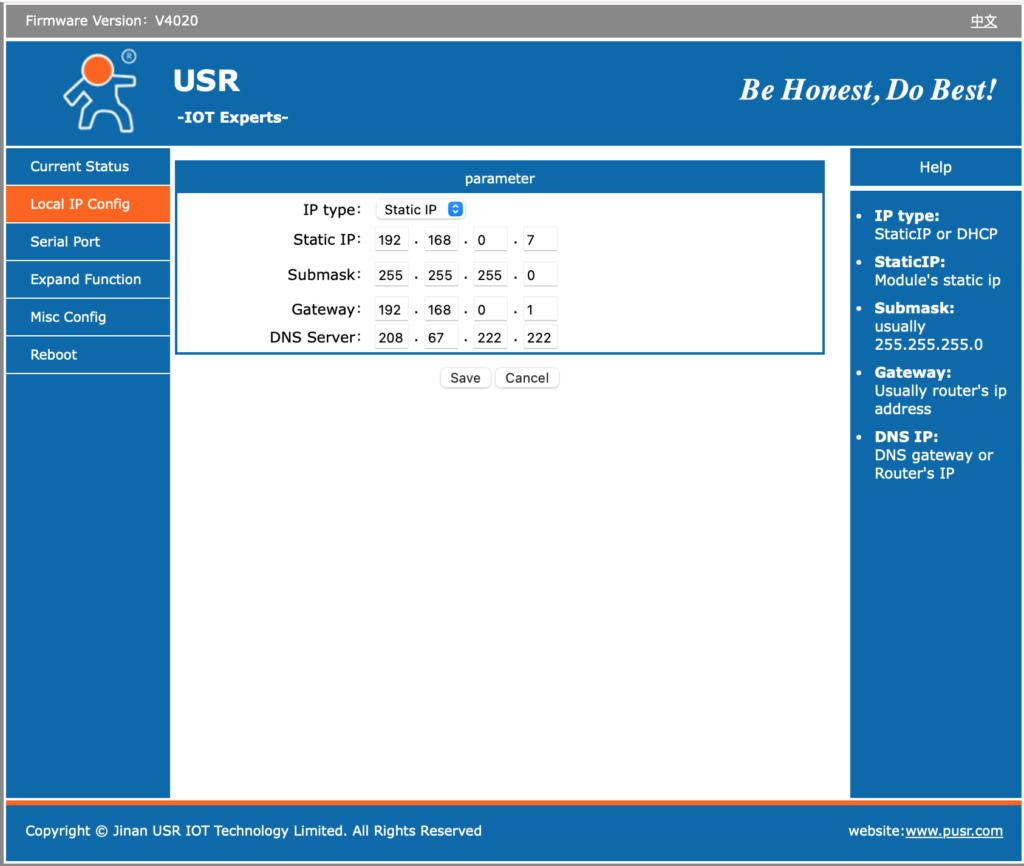
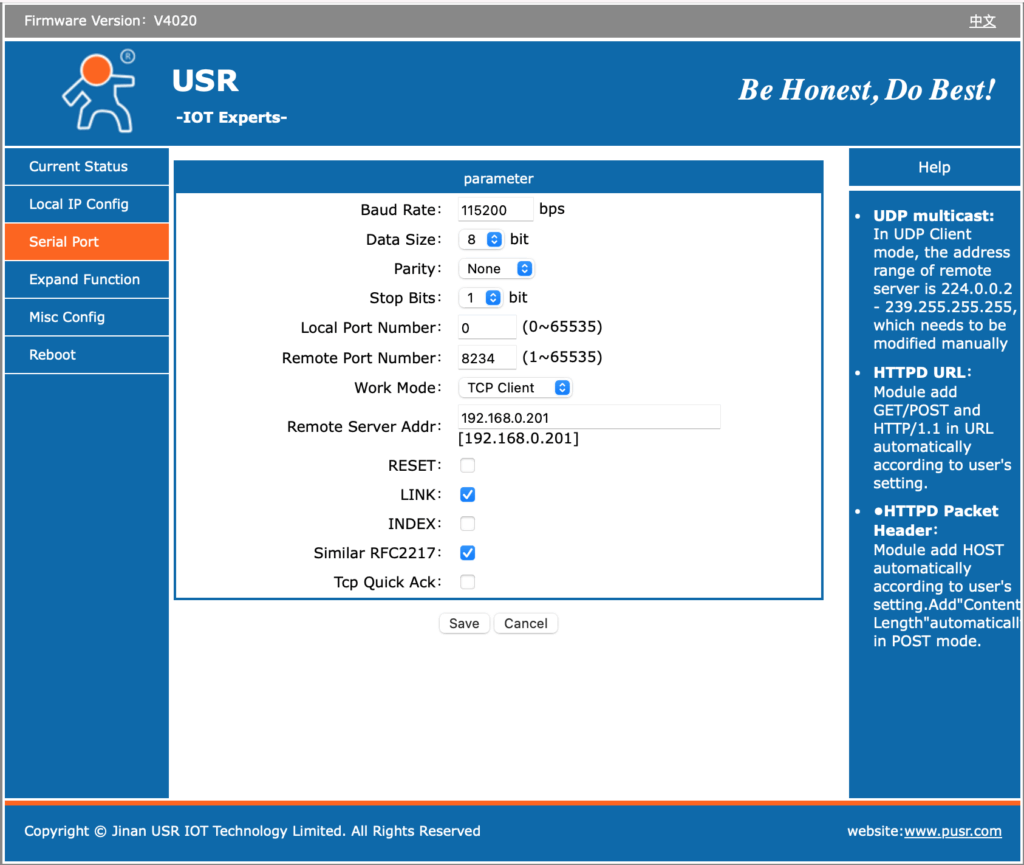
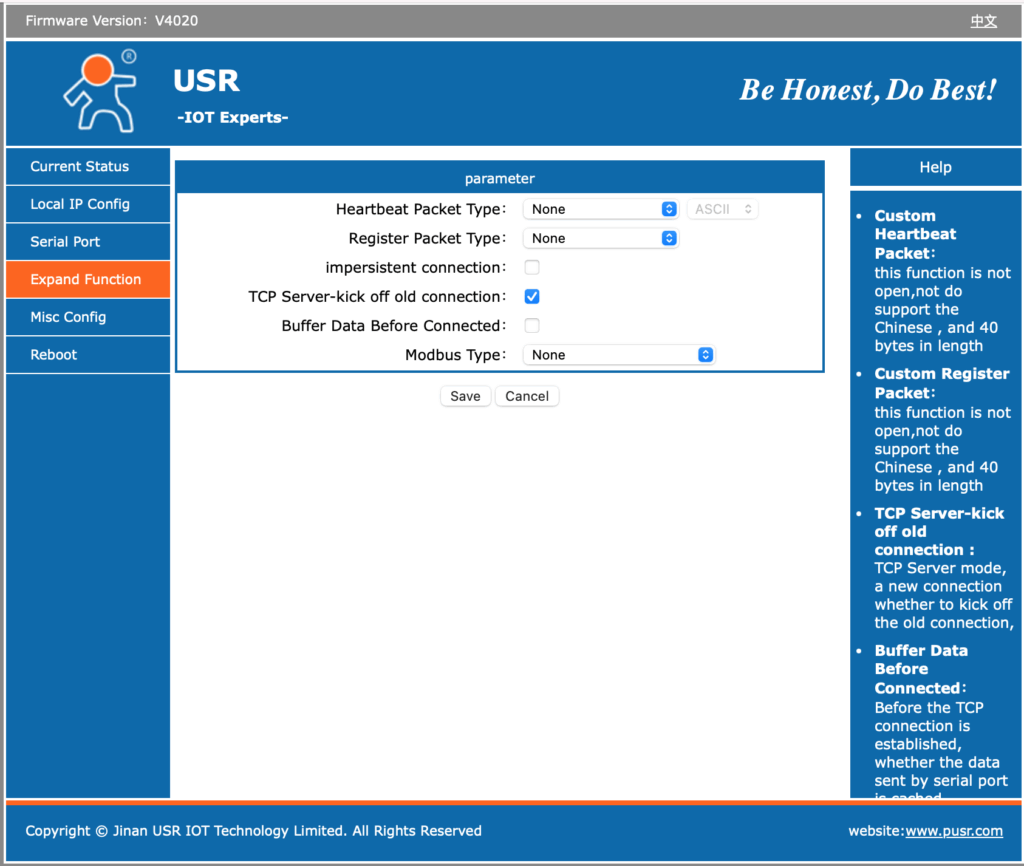
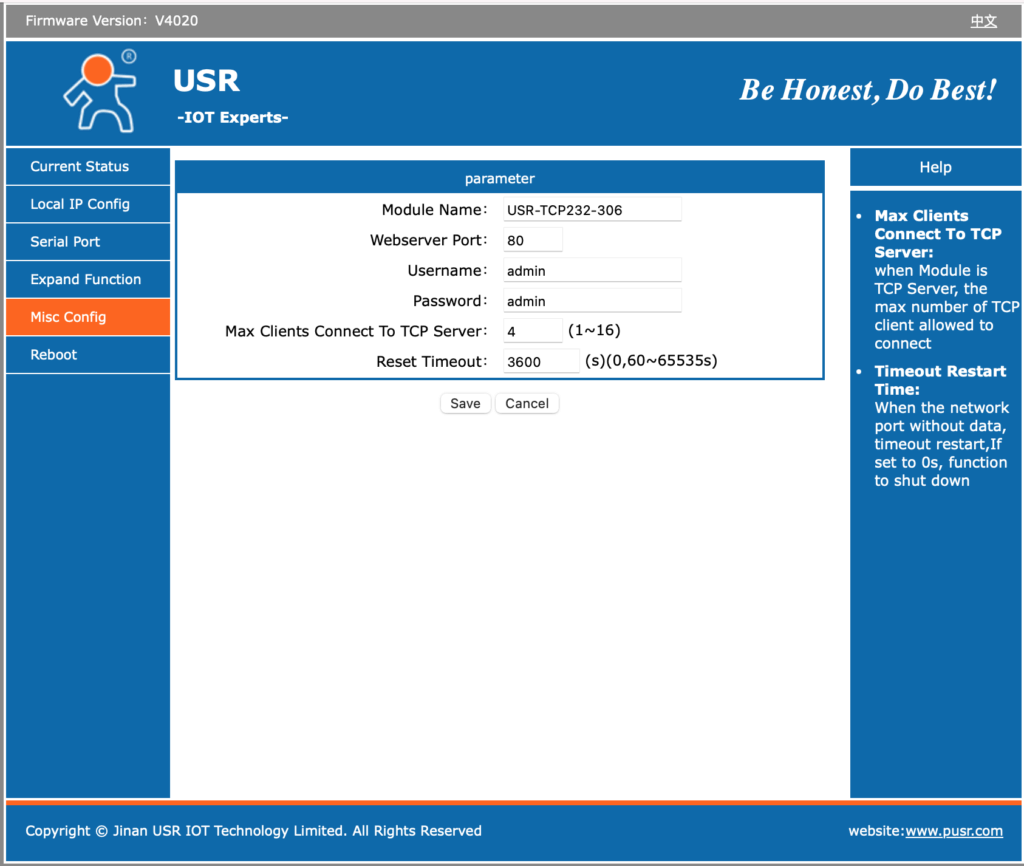
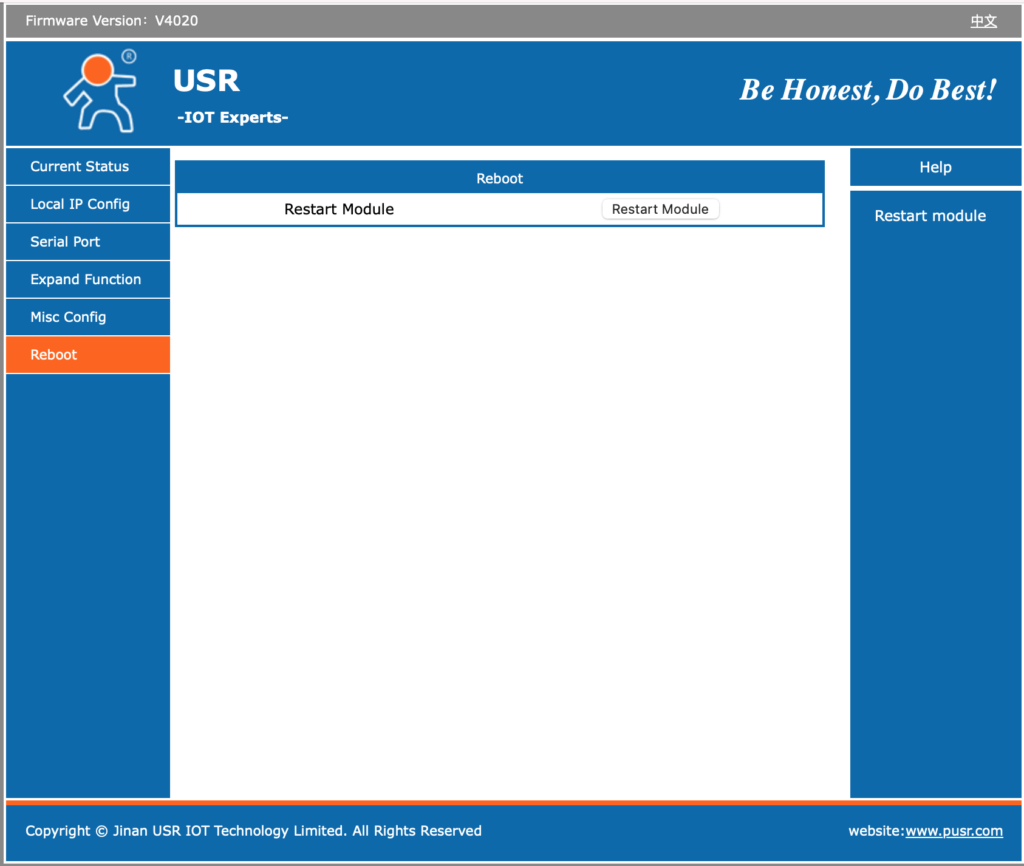
The above images show the default settings prior to any changes to support my needs. It is worth noting that on the underside of the adapter is a sticky label identifying its preset IPv4 address, MAC address and login credentials (username and password).
A word about security
The device only supports IPv4 and it’s web server implements an HTTP interface using TCP port 80. As such there is no encryption on its network interface. Its default username of ‘admin’ and password of ‘admin’ is also a very insecure baseline configuration. As all network traffic is unencrypted tho, there is little value in strong credentials.
There does not appear to be any support, using the web configurator, to apply firmware updates/patches. I see that as a good thing as devices such as these should not be left to query and download updates from the Internet unattended. Doing so would provide a door through which updates containing malicious or, at the very least, unwanted software could be introduced.
The web-configuration interface is simple and straightforward although its not clear what some options do even after reading the documentation. However, don’t assume what you see is the entire interface. I’d be willing to bet there are some undocumented web-pages in there too! A scan for open ports identified TCP listeners on ports 80, 1501 & 4196. The first (HTTP) and last (my config for network/serial data) are to be expected. However why is it listening on 1501? Perhaps this is how the PUSR, VCOM software connects? Unknown, but certainly worth ensuring that 1501/TCP is blocked by firewall rules.
Something that concerns me slightly is that it supports specification of a DNS server. Why does a simple network/serial adapter need to resolve DNS names? There may be a harmless reason, but it is possibly a hint that it contains some capability that requires this…
This adapter and any similar adapter, including the aforementioned Waveshare, should never be exposed to the Internet. If remote access is required always, protect its interface with a VPN, overlay network or deploy other protective measures. Furthermore, I would recommend that it be tightly fire-walled so that it cannot originate traffic to any LAN or WAN – including the Internet – endpoint. Incoming traffic should also be blocked to all but those ports absolutely necessary for it to fulfil its function.
The simple message is don’t assume these devices are friendly; treat them as hostile and a threat to your network and connected infrastructure.
Configuration
It is my choice to use DHCP and Dynamic DNS on my LAN as opposed to static IP addresses per device. I therefore, chose to configure my USR-TCP232-306 to use DHCP and made a Reservation within my DHCP servers for it’s MAC address. My DHCP servers will insert a name of my choice into DNS. DHCP can be selected on its ‘Local IP Config’ tab/page after which the specification of other network parameters is disabled but previous values remain on-screen. See the leftmost image in the gallery below.
The second image presents the serial config I chose and which works with my Expert 1.3k-fa amplifier. Note that I disabled: INDEX and Similar RFC2217 as I’m not absolutely clear what they do.
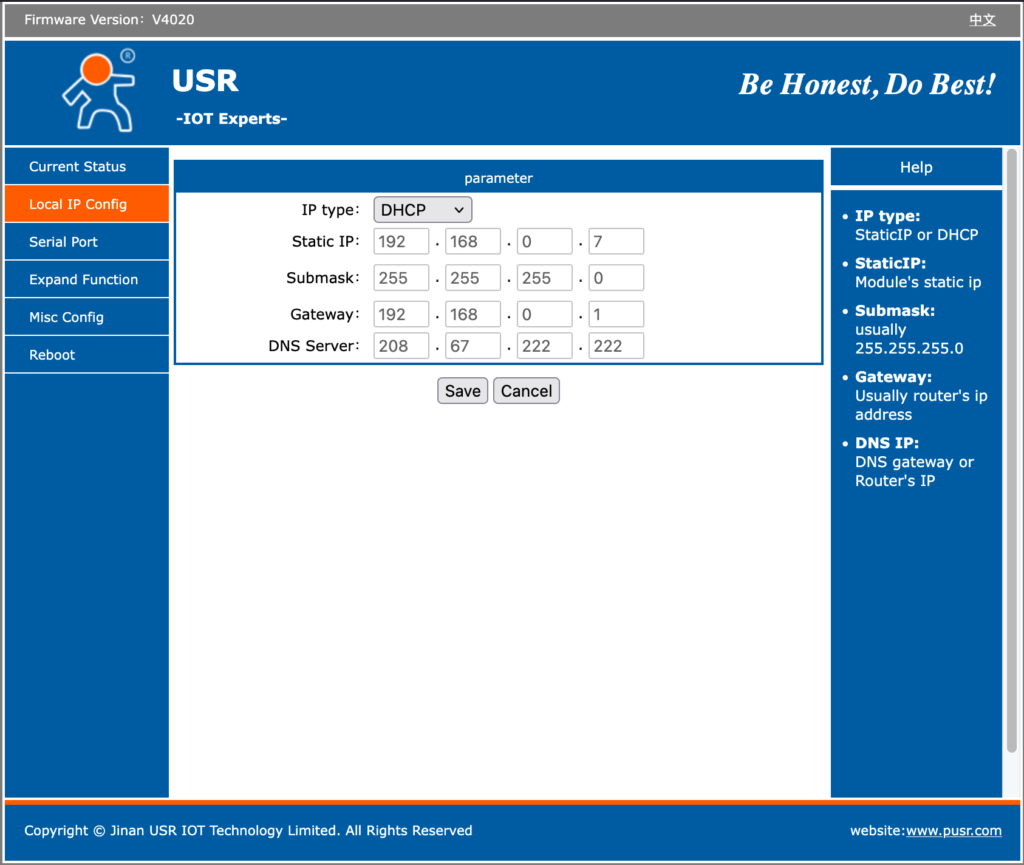
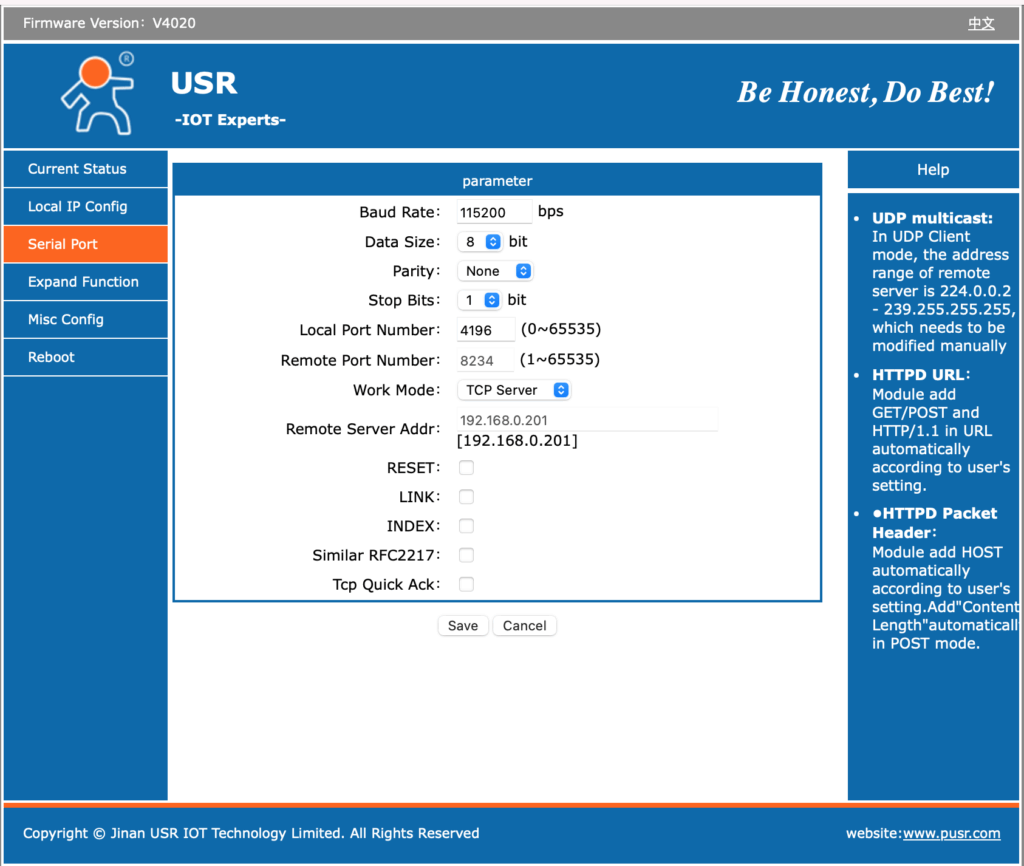
The ‘Local Port Number’ contained a default value of ‘0’. That is not useful; the value I chose, 4196, was mearly for convenience and could have been anything greater than 1024.
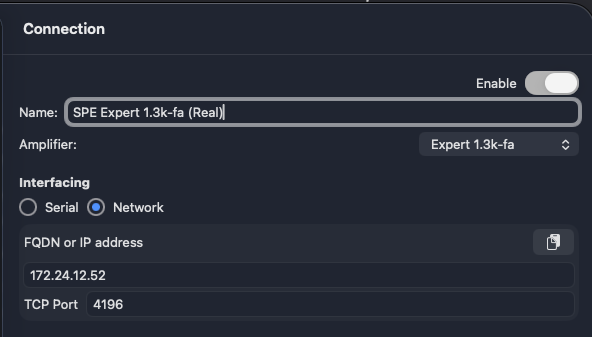
As my DHCP configuration supplies the USR-TCP232-306 with an IP address of 172.24.12.52 and its ‘Local Port Number’ is configured to 4196, I configured Expert Controller Plus as shown in the snipped below. Expert Controller config would be the same. Note: I could equally have supplied the Fully Qualified Domain Name (FQDN) I’ve chosen instead of the IPv4 address.
Serial cable wiring
The three-core cable I created for use with the Waveshare adapter worked just fine which was no surprise as both the USR-TCP232-306 and Waveshare implement a DTE interface. For cable wiring details please read my guide to serial cable wiring.
Final thoughts
Like the Waveshare adapter, the USR-TCP232-306 does not implement hardware flow control and so RTS/CTS and DTR/DSR are not available. I’m aware that some use RTS to signal an amplifier to awaken; that capability will therefore not work and an alternative will be necessary.
A major issue with the Waveshare adapter is a deficient DHCP protocol implementation. I’ve posted about this before but it simply does not renew an address lease either before or on expiration. That is a major problem if you are using DHCP. I’m glad to report that the USR-TCP232-306 does not have this defect. If anything it seems to renew its address more frequently than necessary, with renewal requests hourly regardless of the lease duration!
Andy